How to Turn On Path Tracing and DLSS 4.5 Ray Reconstruction in 007 First Light
007 First Light's September 15 update adds path tracing and DLSS 4.5 Ray Reconstruction on PC. Here is how to enable it, and which RTX card each resolution needs.
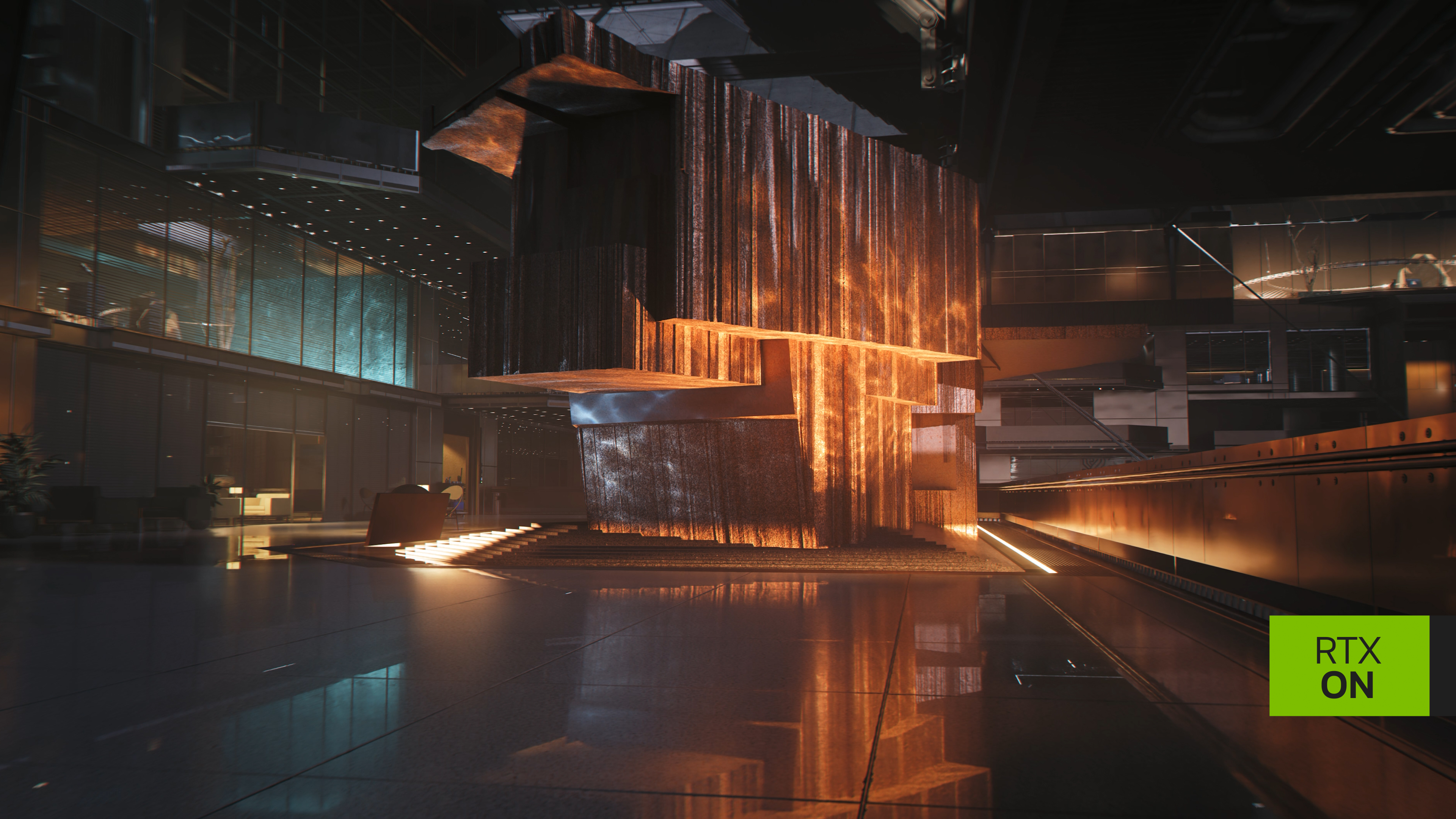
IO Interactive shipped a Path Tracing and DLSS 4.5 Ray Reconstruction update for 007 First Light on September 15, alongside GeForce Game Ready Driver 616.92, and it changes how the studio's Glacier engine lights every safehouse corridor and casino floor the game sends James Bond through. The feature was promised back in January as part of IO Interactive's ongoing collaboration with NVIDIA, and it finally replaces the game's existing ray-traced reflections and shadows with a single, fully path-traced lighting model. If you own a GeForce RTX card and have been waiting for the "real" version of First Light's visuals, this is that update, and here is exactly how to turn it on.
What actually changed on September 15
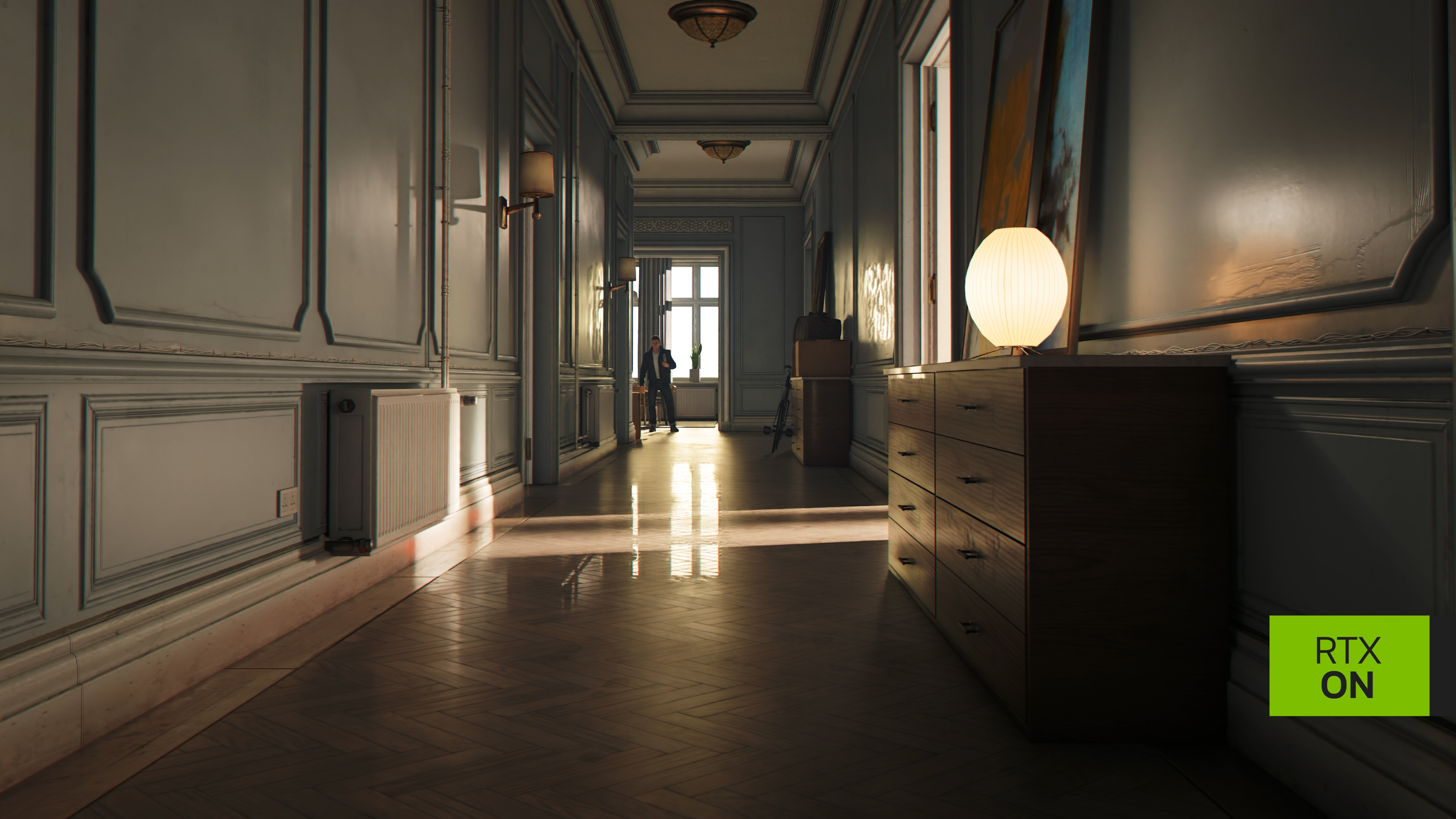
Path tracing is not the same feature as the ray-traced shadows and reflections First Light launched with in May. Traditional ray tracing in the base game applies ray-traced effects to specific elements, such as reflections in glass or the fall of a single shadow. Path tracing instead simulates the way light bounces around an entire scene, so every light source, surface and reflective floor contributes to the final image the way it would with a physically based lighting simulation. NVIDIA and IO Interactive describe the result as "extra-immersive, extra-detailed lighting, shadows and reflections," with accurate caustics, ambient occlusion and reflected light carrying between rooms.
The update pairs path tracing with DLSS 4.5 Ray Reconstruction, an AI model trained specifically to clean up the noisy intermediate image that path-traced rendering produces before it reaches your screen. Without Ray Reconstruction, path tracing tends to look grainy or smeared in motion; with it enabled, NVIDIA says reflections stay sharper and lighting holds together better than a traditional denoiser manages. Both features sit alongside DLSS 4.5 Super Resolution and Dynamic Multi Frame Generation, which First Light already supported from its May 26 early access launch.
Step 1: update to GeForce Game Ready Driver 616.92
Before anything shows up in the game's menus, install GeForce Game Ready Driver 616.92 WHQL, which NVIDIA released on September 9 specifically to add day-one support for this update alongside First Light, WARDOGS, Active Matter and Aniimo. Open the NVIDIA app (which replaced the old NVIDIA Control Panel) and check the Drivers tab for the update, or download it directly from NVIDIA's driver page. If you have not opened the NVIDIA app before, GPU tuning that used to live in Control Panel's 3D Settings is now under Graphics > Program Settings, with display and monitor options moved to the System tab.
Step 2: turn on Path Tracing and Ray Reconstruction in-game
With the driver installed, launch First Light and open the graphics settings menu. Path tracing sits as its own ray tracing quality tier above the game's existing high and ultra ray tracing presets, so you will need to select it explicitly rather than assuming ultra settings already include it. DLSS Ray Reconstruction is tied to that path tracing tier and switches on automatically once you select it, according to NVIDIA's own specification sheet for the update, which marks Ray Reconstruction as auto-enabled at every path tracing preset. DLSS Super Resolution and Dynamic Multi Frame Generation remain separate toggles further down the same menu, and both are worth leaving on, since path tracing is heavy enough that almost no GeForce RTX card runs it well at native resolution.
Which settings tier actually matches your GPU
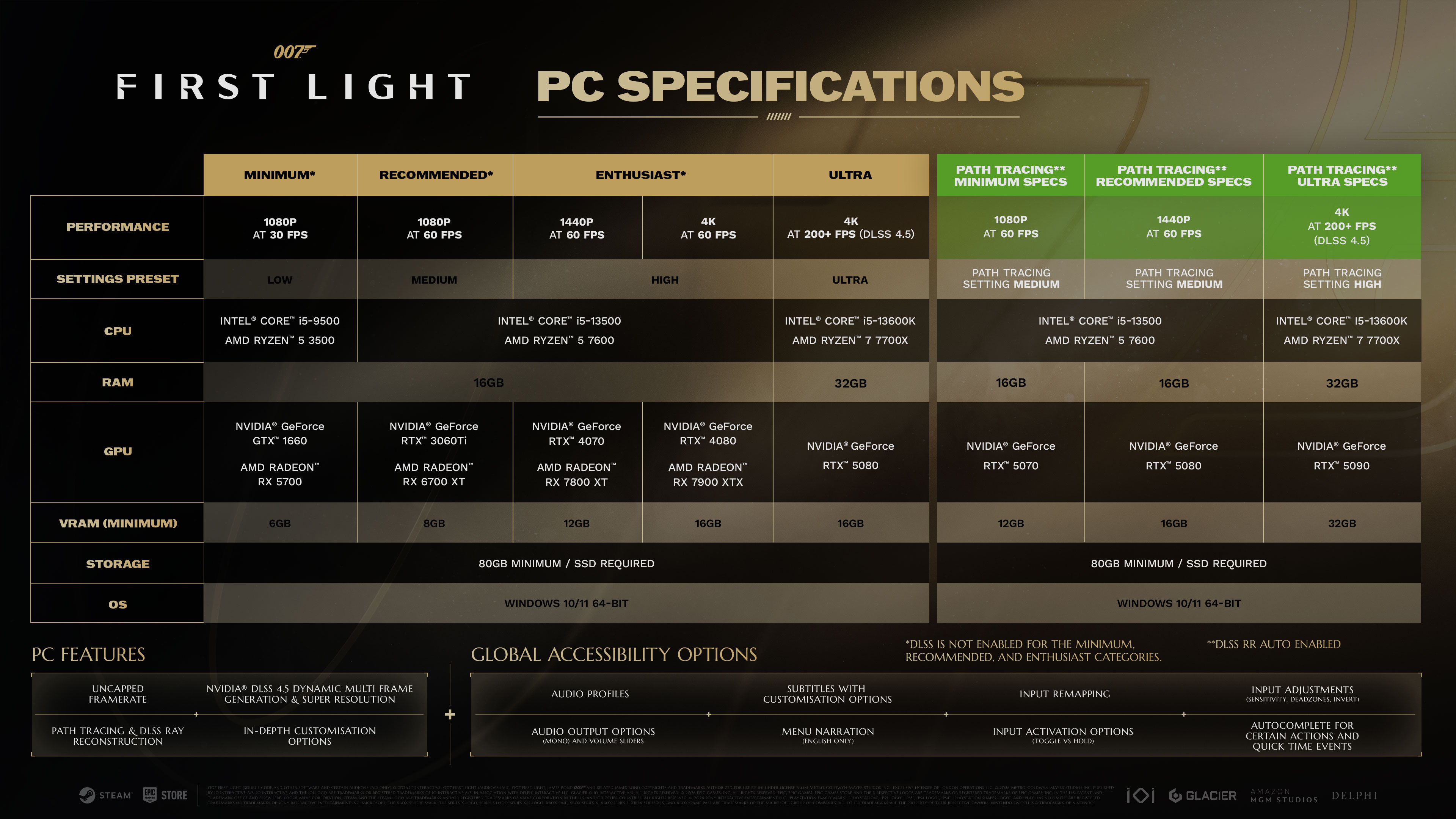
NVIDIA and IO Interactive published a specific PC specifications chart for the path tracing update, separate from the base game's requirements, and it is worth following rather than guessing:
- GeForce RTX 5070, 12GB VRAM: path tracing's minimum spec, targeting 1080p at 60fps on the "medium" path tracing setting.
- GeForce RTX 5080, 16GB VRAM: the recommended spec, targeting 1440p at 60fps, also on the medium path tracing setting.
- GeForce RTX 5090, 32GB VRAM: the ultra spec, targeting 4K at 200fps or higher on the "high" path tracing setting, with DLSS 4.5 running throughout.
Every tier needs 16GB of system RAM, except the RTX 5090 ultra tier, which asks for 32GB, plus an 80GB SSD install and an Intel Core i5-13500 or AMD Ryzen 5 7600 or better CPU, since path tracing leans on the CPU for scene management even though the GPU does the actual lighting work. If your card falls below an RTX 5070, First Light's regular ray-traced mode, which the game shipped with in May, is still the better choice; NVIDIA does not list a supported path tracing configuration below that card.
Getting the most out of Multi Frame Generation
Because path tracing costs so much rendering headroom, Dynamic Multi Frame Generation is doing a lot of the work in NVIDIA's target frame rates above. The feature generates additional frames between traditionally rendered ones and adjusts how many it inserts based on how demanding a given scene is, rather than multiplying frames by a fixed amount throughout. NVIDIA's own numbers from First Light's May launch, measured with 4.5's 6x multi-frame mode at native rendering resolution before path tracing existed, showed an RTX 5090 reaching roughly 840fps at 1080p ultra and 560fps at 4K ultra, which gives a sense of how much frame rate the technology can manufacture once path tracing eats into your base render rate. Enable an in-game frame rate cap or a G-Sync/V-Sync-compatible monitor mode alongside Multi Frame Generation so the extra frames do not just overshoot your display's refresh rate.
If you want to confirm the update installed correctly, the NVIDIA app's in-game overlay (Alt+R) will show DLSS Ray Reconstruction as an active feature alongside frame generation once path tracing is selected, and its performance graph is a fast way to check whether you are actually GPU-bound at your chosen settings tier before you start tweaking anything else.
Is it worth turning on
For RTX 5070-and-up owners, yes, at least to try: path tracing is the version of First Light's lighting that IO Interactive and NVIDIA originally designed the Glacier engine's PC release around, and the difference is most visible in interior spaces with mixed light sources, like the apartment hallways and office lobbies the update's own comparison shots use to show it off. If you are on an older RTX 40-series card or below, stick with the game's standard ray tracing mode; First Light does not require path tracing to look or run well, and NVIDIA's own chart simply does not list a configuration for it below an RTX 5070.
Official links
Lena tests the hardware that games run on, from handheld thermals to controller latency. If a spec sheet is doing something suspicious, she has already opened the device.