How to Enable SteamOS 3.8's New Display, Battery and TDP Settings on Your Handheld
SteamOS 3.8 quietly added HDMI VRR, Legion Go battery charge limits and ROG Xbox Ally TDP control. Here's how to turn each one on, step by step.
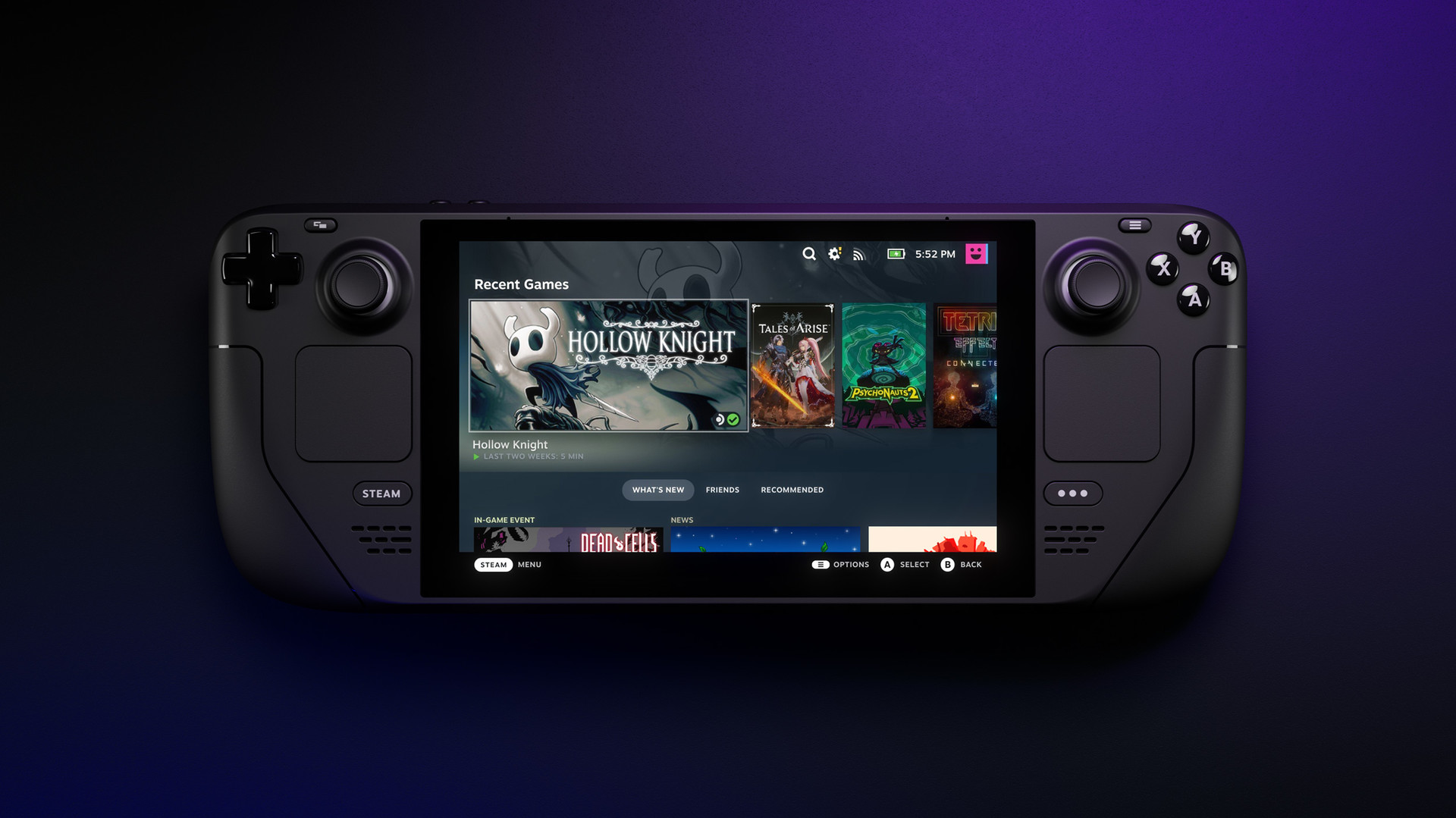
SteamOS 3.8 has been the stable build under most Steam Decks and SteamOS-powered handhelds since Valve pushed it out of beta in June, and it is still the baseline today: Valve's newer work is confined to the 3.8.27 beta channel and an early 3.9.1 preview, both still labelled experimental as of this week. Buried inside that 3.8 stable release, according to Valve's own patch notes, is a batch of settings that never got a launch-day spotlight: a working HDMI VRR toggle, battery charge limiting for Lenovo's Legion Go family, and native TDP control for the ASUS ROG Xbox Ally when it is running SteamOS instead of Windows. None of them are turned on by default, and none of them are especially easy to find unless you know where Valve put them.
This guide walks through each setting that shipped in 3.8, where to find it, and which hardware actually supports it. Some of it applies to any Steam Deck; some of it only matters if you have picked up a third-party handheld and installed SteamOS yourself.
Confirm you're actually on SteamOS 3.8
Open Settings > System and check the build number under "System Information." Stable-channel Decks should already read 3.8.10 or a later 3.8.x point release; if yours still says 3.7, back out of any Beta or Preview channel enrollment under Settings > System > System Update Channel and let it download the stable update before continuing, since several of the toggles below simply do not exist on 3.7. Third-party handhelds that dual-boot SteamOS need the same version to get the fixes described in this guide; check the Steam Deck news page for the current installer image if you are building a fresh install rather than updating.
Turn on HDMI VRR for docked play
Steam Deck has supported variable refresh rate over USB-C since SteamOS 3.5, but that only worked with displays connected through a USB-C-to-DisplayPort path. The 3.8 patch notes add "preliminary support for HDMI VRR for devices with native HDMI output," which covers docks and the upcoming Steam Machine's own HDMI port. To use it, connect to a VRR-capable TV or monitor, then open Settings > Display in either Game Mode or Desktop Mode; a VRR toggle appears once the connected display reports VRR support over the active connection. Valve's notes flag one snag worth knowing about: certain TCL televisions can show a blank picture through the Steam Deck Dock when VRR is enabled, and fixing it requires a firmware update on the dock itself rather than anything changed on the Deck side.
The same update also improved VRR frame pacing generally and fixed a bug where the FSR indicator in the performance overlay could stay off even when upscaling was actually running, so it is worth re-checking that overlay if you rely on it to confirm FSR is active.
Set battery charge limits on Legion Go, Legion Go S and Legion Go 2
Charge limiting caps a battery at roughly 80 percent to slow long-term degradation, and it has been on Steam Deck since a 2025 beta. SteamOS 3.8 extends it to Lenovo's whole Legion Go line when those devices are running SteamOS, but with a catch spelled out directly in the patch notes: the control is "currently only accessible in Desktop Mode." Switch into Desktop Mode from the Power menu, open the system's power settings, and look for the charge limit control there rather than in the Quick Access battery tab used in Game Mode, which does not expose it yet on these devices. If you are running Legion Go under Windows instead of SteamOS, this setting does not apply; Lenovo's own Legion Space software handles charge limiting there.
Enable TDP control on a SteamOS-powered ROG Xbox Ally
The ASUS ROG Xbox Ally ships from the factory running Windows, but it is one of the handhelds Valve specifically added support for in 3.8: the patch notes list "controller, TDP control, and speaker audio support for the ASUS ROG Xbox Ally series" among the non-Deck hardware changes. That support is for the device once SteamOS is installed on it in place of, or alongside, Windows — not for ASUS's own Armoury Crate app. Once SteamOS is running, TDP behaves exactly as it does on Steam Deck: open the battery icon in the Quick Access menu, switch to Advanced mode, and drag the TDP Limit slider to set a wattage ceiling. Lower it toward 7-10W for battery life on lighter games, or raise it for sustained performance on demanding titles, the same tradeoff Deck owners have been making for years.
3.8 also fixed a bug specific to international ROG Xbox Ally units that could crash the system, and added SD card reliability improvements shared across the ROG Xbox Ally, Legion Go 1, Legion Go S, Legion Go 2 and MSI Claw.
Smaller settings worth turning on
- Force mono audio: a new accessibility option under Settings > Accessibility collapses stereo output to a single channel, useful for anyone with hearing loss in one ear or playing through a single earbud.
- Bluetooth headset microphone: Settings > Audio now has a toggle to use a paired Bluetooth headset's mic as the default input. Valve's own notes warn that playback quality drops while the mic is active, since most Bluetooth headsets can't run high-quality audio and voice capture at the same time.
- Bluetooth Wake, again: Valve re-enabled wake-from-sleep over Bluetooth on the original Steam Deck LCD after two earlier attempts caused spurious wake-ups; it should now behave like the OLED model's implementation.
- Waking a Deck with a Steam Controller: if you dock your Deck and use a wireless Steam Controller, it can now wake the console from sleep the same way a Bluetooth or wired controller already could.
What's still experimental
Two changes in 3.8 are worth knowing about but not expecting to rely on yet. Hibernation support landed as part of a BIOS update (v133) for the original Steam Deck LCD model only, and Valve's own notes describe it as "preliminary" — there is no dedicated toggle in Settings, and it should be treated as groundwork Valve is still refining rather than a feature ready for daily use. Desktop Mode also switched to Wayland by default as part of the jump to KDE Plasma 6.4.3, which fixes several performance gaps against Game Mode and adds proper support for external HDR and VRR displays in Desktop Mode itself. If a specific application still misbehaves under Wayland, X11 remains selectable through Steam's developer settings or the `steamosctl` command-line tool without needing to downgrade the whole OS.
None of these settings require a factory reset or a beta enrollment to reach — they are sitting in a stable release most Steam Deck and SteamOS-handheld owners already have installed. The only real trap is Legion Go's charge limiter and the ROG Xbox Ally's TDP slider living in different menus than you'd expect, in Desktop Mode and the Quick Access menu respectively, rather than side by side.
Official links
Lena tests the hardware that games run on, from handheld thermals to controller latency. If a spec sheet is doing something suspicious, she has already opened the device.