How to Get Forever Ago Running Its Best on PC, Steam Deck and Handhelds
Third Shift's road trip adventure is Steam Deck Verified out of the box. Here's how to dial in graphics, saves, accessibility and camera prompts before you drive.
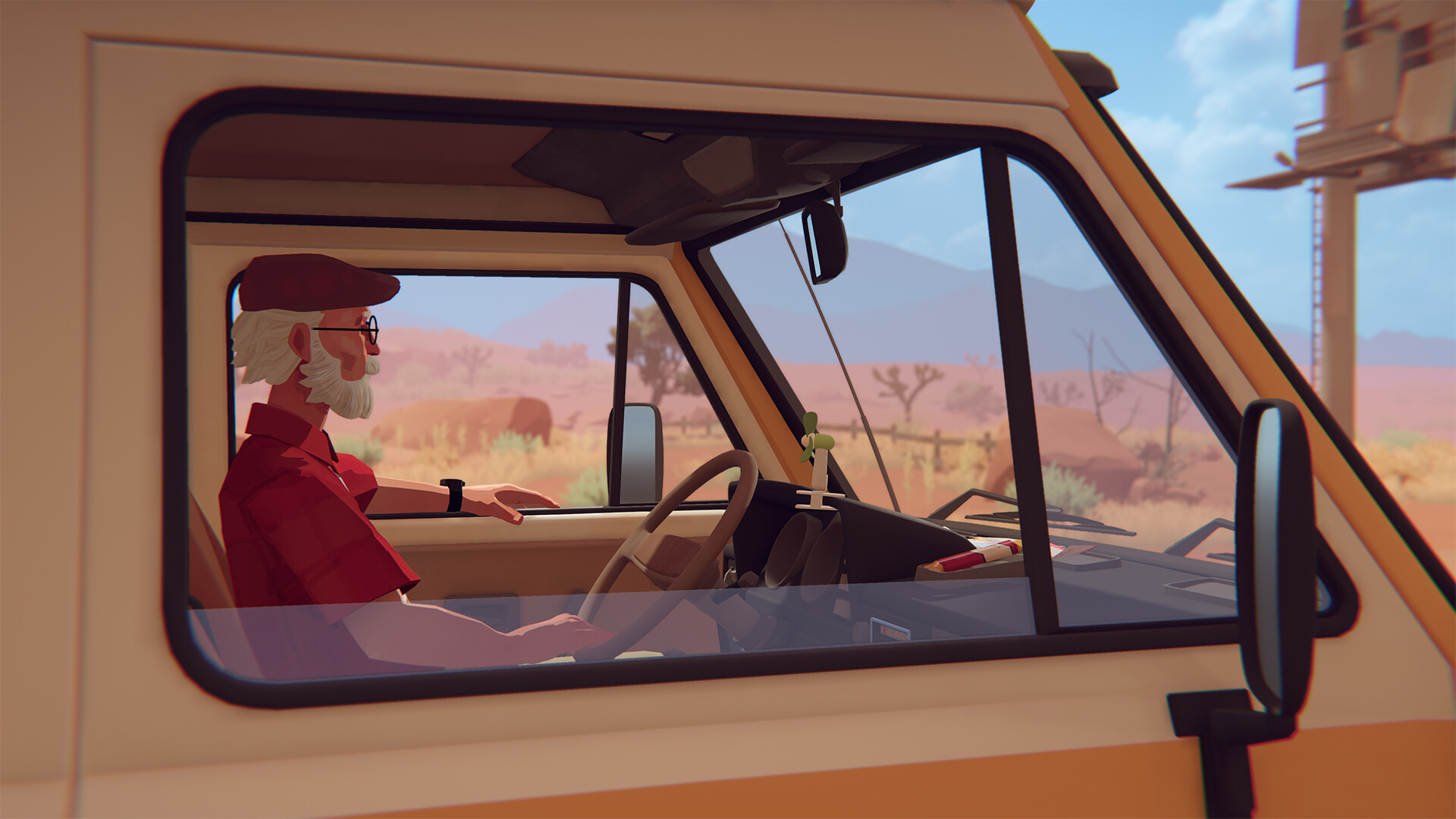
Third Shift's debut game Forever Ago sends a grieving widower named Alfred north in a battered camper van, armed with nothing but an instant camera and nine chapters of road. The German two-person studio, co-founded by Kai Brueckers and Fabian Denter, spent five years building it around a route Brueckers mapped out after his own drive down the Pacific coast, and Forever Ago launched October 8 on PC, PS5, Xbox Series X/S and Switch 2 through Annapurna Interactive. It runs a tight 3 to 5 hours across nine chapters, which makes it exactly the kind of weekend trip worth getting the settings right for before you start, rather than troubleshooting mid-drive.
What Forever Ago Asks Of Your Rig
On PC, the minimum spec is an Intel Core i5-2300 or AMD Phenom II X4 965 with 8GB of RAM and a 2GB-class card such as a GTX 650 Ti, Radeon HD 6950 or Arc A310, running DirectX 12 on Windows 10. The recommended tier steps up to a Core i5-8400 or Ryzen 5 2600, 16GB of RAM and a GTX 1060, RX 590 or Arc A580. Either way the install is a modest 8GB, and the game is sold through Steam, the Epic Games Store and the Microsoft Store.
It also launched day one on PC Game Pass and Xbox Game Pass Ultimate with Xbox Play Anywhere support, so a Game Pass subscription gets you the PC and console versions for no extra cost, and progress carries over between them. On PS5 it's a lean 4.3GB install that supports the console's power-saver mode, useful given how much of each chapter is slow walking and driving rather than anything demanding on the GPU.
Why Steam Deck And Handhelds Already Run It Well
Forever Ago carries a Steam Deck Verified rating, and that badge actually means something here: the default graphics configuration performs well without hand-tuning, on-screen interface text stays legible at the Deck's resolution, every prompt shows the correct Deck button icons, and nothing in the game requires a feature the default controller layout can't reach. In practice that means you can install it and start driving without touching a settings menu.
The Xbox storefront separately flags Forever Ago as optimized for handhelds, covering devices like the ROG Xbox Ally running the Xbox PC app, and it supports 4K, HDR10 and 60fps-plus on hardware that can push it. If you're playing docked rather than handheld, there's no reason to cap below that. Microsoft's own preview coverage of the game, built around a hands-on at Summer Game Fest, backs this up: the environments are dense with small, examinable objects rather than large open spaces, which is exactly the kind of scene handheld hardware handles comfortably.

Getting The Camera To Recognize Every Prompt
Alfred's instant camera is how you document the trip and clear the game's small environmental puzzles, and it's also the one mechanic worth a heads-up. Interaction prompts like opening a door aren't triggered just by standing near an object — the game wants you looking at it from close to the right angle before the prompt appears. If a prompt seems to be missing, don't mash the interact button; instead pan the camera slowly across the object and let the reticle settle before trying again. It's a minor quirk rather than a dealbreaker, but it's the single most common point where new players think something is broken when it isn't.
Save Smart — There's No Manual Save Slot
Forever Ago auto-saves only at chapter checkpoints, and there's no manual save option anywhere in the menus. You can revisit earlier chapters through chapter select once you've cleared them, but starting a fresh New Game overwrites your existing save file entirely. If you want to keep a completed save around for chapter replays or to chase missed photos, don't start a second playthrough from the main menu until you're certain you're done with the first.
Turning On The Comfort Options First
Before you start Alfred's drive, it's worth a quick pass through the options menu. Forever Ago ships with a dedicated Camera Comfort toggle for players sensitive to the handheld-camera sway during driving and walking sections, custom volume sliders for dialogue, music and effects independently, full subtitle options, and a Playable Without Timed Input setting that removes any pressure from the game's few reaction-based prompts. Voice acting is English only, but subtitles are available in French, Italian, German, both Spanish variants, Japanese, Korean, Polish, Brazilian Portuguese, Russian and both Chinese scripts, so turn those on early if English isn't your first language.
The game also carries full controller support on every platform, including dedicated haptic and adaptive trigger profiles on DualSense and DualShock pads, so a wired or Bluetooth controller is the more comfortable way to play on PC even if you're not on Deck.
“We explore themes of grief, how to deal with grief, and redemption within the story of this game.”Kai Brueckers, co-founder, Third Shift

Chasing The Full Set Of Memories
Forever Ago carries 29 Steam achievements, and the bulk of them are hidden until you earn them, tied to specific photographs, conversations and small decisions scattered across Alfred's route rather than anything resembling a checklist the game hands you upfront. There's no in-game journal that tracks what you've missed, so the only reliable approach is to slow down: examine every object Alfred comments on, talk to side characters more than once if the option is there, and take extra photos at points where the camera prompt appears even if it doesn't seem necessary to progress. Because the whole trip is only 3 to 5 hours long across nine chapters, a completionist run costs little more time than a single straight playthrough, and chapter select lets you go back for anything you're sure you missed without having to replay the entire drive from the start.
None of this changes how Forever Ago actually plays — it's still a slow, character-driven road trip rather than a game built around settings tinkering — but getting the technical side out of the way first means nothing interrupts the drive once Alfred pulls out of the driveway. Critical reception since launch has leaned positive on PC and PS5 and more mixed on Xbox Series X, with most of the praise aimed at the writing rather than any technical showpiece, which tracks with a studio of two people spending five years polishing a short, personal story instead of chasing scale.
Official links
Sam writes about small studios and the games they ship against the odds, and turns the hardest parts of them into guides that get to the point.