How to Turn On Dynamic Multi Frame Generation in Cyberpunk 2077 Right Now
Update 2.5 brings DLSS 4.5 and a smarter frame-generation mode to Night City. Here's exactly how to turn it on, and what to do if your driver misbehaves.

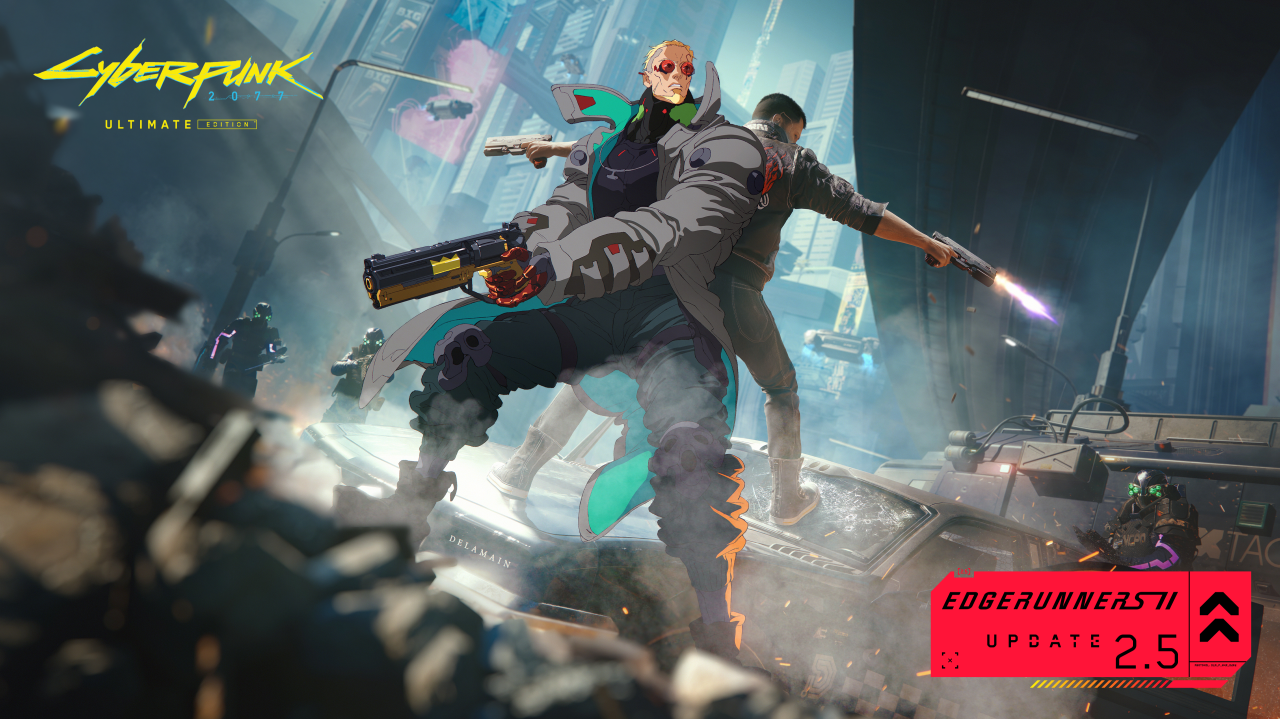
Cyberpunk 2077 just picked up one of the biggest graphics upgrades of its post-launch life, and it costs nothing. CD Projekt Red's free Edgerunners 2 Update (2.5) went live on October 22 on PC, PS5 and Xbox Series X|S, timed to the Netflix premiere of Cyberpunk: Edgerunners season two. Dual-wielding pistols and a new prequel quest are the headline additions, but the update's quietest change is the one PC players with newer GeForce cards should care about most: it adds support for DLSS 4.5, including NVIDIA's Dynamic Multi Frame Generation. Here is exactly how to turn it on, how it behaves differently from the frame generation you already know, and what to watch out for with the driver that ships alongside it.
What Dynamic Multi Frame Generation Actually Changes
Regular Multi Frame Generation asks you to commit to a multiplier upfront: 2x, 3x, 4x and so on, generated on top of whatever your GPU renders natively. Dynamic MFG works the other way around. Instead of picking a multiplier, you pick a target frame rate, typically your monitor's refresh rate, and the game continuously adjusts how many frames it generates to hit that number without overshooting it unnecessarily.
In practice that means the multiplier moves while you play. Hands-on testing by NVIDIA's own GeForce team and outside outlets covering the same driver has shown Cyberpunk 2077 using a higher multiplier when the native frame rate dips in a demanding area of Night City, then easing back to a lower one once the GPU is already rendering comfortably close to the target. The goal is a steadier result on screen and less wasted generation work than locking in a fixed multiplier you don't always need.
Update 2.5 also quietly upgrades the rest of Cyberpunk 2077's DLSS stack: Super Resolution and Ray Reconstruction now run on NVIDIA's second-generation transformer models by default, the same upgrade NVIDIA shipped for Call of Duty: Modern Warfare 4 and Planet Zoo 2 this week. You no longer need to force these models through an override; Patch 2.5 makes them the baseline.
What You Need Before You Start
Three things have to line up before Dynamic MFG shows up in your settings:
- The game patch. Update 2.5 must be installed. Check for it through Steam, GOG, the Epic Games Store or your console's update queue if it hasn't downloaded automatically.
- A current GeForce driver. NVIDIA's Game Ready Driver 621.01, released October 21, is the one built to pair with this update and with Modern Warfare 4's launch the following day. Grab it from the NVIDIA driver download page or through the NVIDIA App's own update prompt.
- A GeForce RTX 50 Series card, or an RTX-powered handheld in that class. Dynamic Multi Frame Generation is exclusive to RTX 50 Series hardware, which can push it up to 6x. RTX 40 Series cards still get standard, fixed-multiplier DLSS Frame Generation. Every RTX card, back through the 20 Series, gets the upgraded DLSS Super Resolution and NVIDIA Reflex regardless of generation.
How to Turn It On Inside Cyberpunk 2077
With the patch and driver installed, the simplest path is entirely in-game:
- Launch Cyberpunk 2077 and open Settings > Graphics.
- Scroll to the upscaling section and confirm DLSS is selected as your upscaler. Since 2.5 made the new AI models the default, you don't need to change anything here to get the upgraded Super Resolution and Ray Reconstruction.
- Find the Frame Generation control beneath it. On supported RTX 50 Series hardware, this now offers a dynamic option alongside the fixed multipliers.
- Set Frame Generation to its dynamic mode and set your target frame rate to match your display's maximum refresh rate, or slightly under it if you use a VRR display and want headroom.
- Turn on NVIDIA Reflex in the same menu. It now works across every GeForce RTX system and helps offset the added input latency that comes with any form of frame generation.
Fine-Tuning It Through the NVIDIA App
If you want more control than the in-game menu gives you, or you want to confirm the driver is actually applying the setting, the NVIDIA App's per-game override panel is the more reliable route:
- Open the NVIDIA App and use the refresh option in its menu to make sure it's pulled the latest driver profile.
- Go to Graphics > Program Settings and select Cyberpunk 2077 specifically, not the global default profile.
- Scroll to Driver Settings and find the DLSS override options.
- Set DLSS Override - Frame Generation to its dynamic mode, then launch the game.
- If anything looks wrong, the same menu lets you revert to "Use the 3D application setting" to hand control back to the game's own menu.
Either path works; the NVIDIA App is mainly useful when you want to force a setting the in-game menu hasn't yet exposed cleanly, or when you're troubleshooting.
The One Catch: Driver 621.01's Early Bugs
Driver 621.01 is brand new, and it hasn't landed cleanly for everyone. Since its release, a number of users have reported black screens and video playback freezes tied to this driver branch, separate from anything in Cyberpunk 2077 itself. If you hit instability after updating, the safest fix is a clean reinstall: download the driver installer, choose the custom installation option, and tick the box to perform a clean install, which clears out conflicting leftover files from your previous driver. If problems persist, rolling back to the prior Game Ready Driver, 617.42, through NVIDIA's driver archive is a reasonable fallback until a follow-up release addresses the reports.
It's also worth knowing that Dynamic MFG's extra generated frames come with a latency cost like any frame generation technology. Testing around this driver's release found latency staying low and comfortable as long as the GPU's native, pre-generation frame rate stays well above roughly 40 FPS; push the setting in a scene where your real frame rate has collapsed into the 20s, and the generated frames start to feel noticeably laggier rather than smoother. If that happens, lower a demanding setting like path tracing before reaching for a higher Frame Generation target.
Is It Worth Turning On?
For anyone on RTX 50 Series hardware, yes, with one adjustment: set your target frame rate to something your monitor and eyes actually benefit from, rather than maxing it out by default. Dynamic MFG's whole pitch is that it stops over-generating frames you don't need, which in turn keeps the visible smearing and ghosting that heavier multipliers can introduce to finer details, like distant neon signage in Night City, closer to what fixed 2x or 3x generation already looks like. Pair it with the update's other PC-side improvements, including ray tracing performance tuning on the same patch, and this is one of the rare free updates that genuinely changes how the game feels to play, not just what's in it to do.
Official links
- NVIDIA: DLSS 4.5 Rolls Out to Cyberpunk 2077, Planet Zoo 2 and Modern Warfare 4nvidia.com
- NVIDIA App: DLSS Overrides Guidenvidia.com
- CD Projekt Red: Edgerunners 2 Update (2.5) Is Out Nowcyberpunk.net
- CD Projekt Red: What's Coming in the Edgerunners 2 Updatecyberpunk.net
- Cyberpunk 2077 on Steamstore.steampowered.com
- NVIDIA GeForce Driversnvidia.com
Lena tests the hardware that games run on, from handheld thermals to controller latency. If a spec sheet is doing something suspicious, she has already opened the device.