Nintendo eShop Will Let Family Group Members Gift Each Other Digital Games
Nintendo's eShop adds digital gifting November 16, letting family group members send each other eligible Switch and Switch 2 games, DLC, and upgrades instantly.
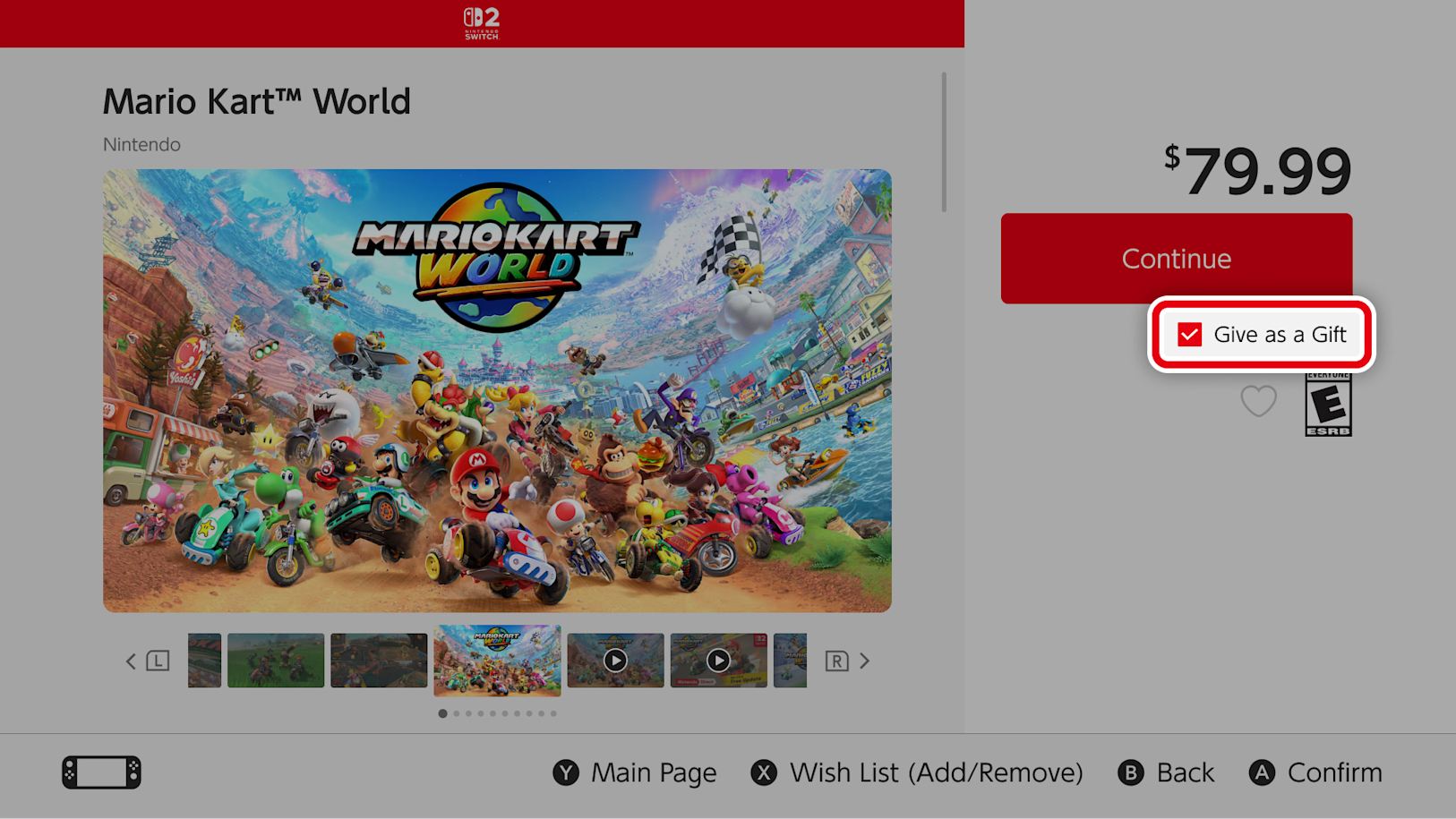
Nintendo is finally letting Switch owners send each other games instead of just recommending them. The company confirmed on November 9 that digital gifting is coming to the Nintendo eShop on both Nintendo Switch and Nintendo Switch 2, letting members of the same Nintendo Account family group buy and send eligible eShop purchases directly to one another, with delivery landing on the recipient's console in seconds.
A first for Nintendo's digital storefront
Digital gifting has been standard on PlayStation Store and the Microsoft Store for years, and Steam has supported sending games to friends since 2007. The Nintendo eShop never had an equivalent, leaving family members to either share a single account or simply buy duplicate copies. That changes starting November 16, when the gifting option appears on eligible product pages across both current Switch systems.
Nintendo's announcement frames the feature around family groups, the account structure that already links parents, kids, and other relatives for parental controls and shared subscriptions. A single Nintendo Account holder can create a family group of up to eight people without anyone needing to live in the same household, and gifting works across every linked system in that group.
How the gift flow works
Nintendo laid out the purchase flow in five steps on its support page:
- Open a participating game's product page on the Nintendo eShop.
- Check the new "Give as a Gift" box before starting checkout.
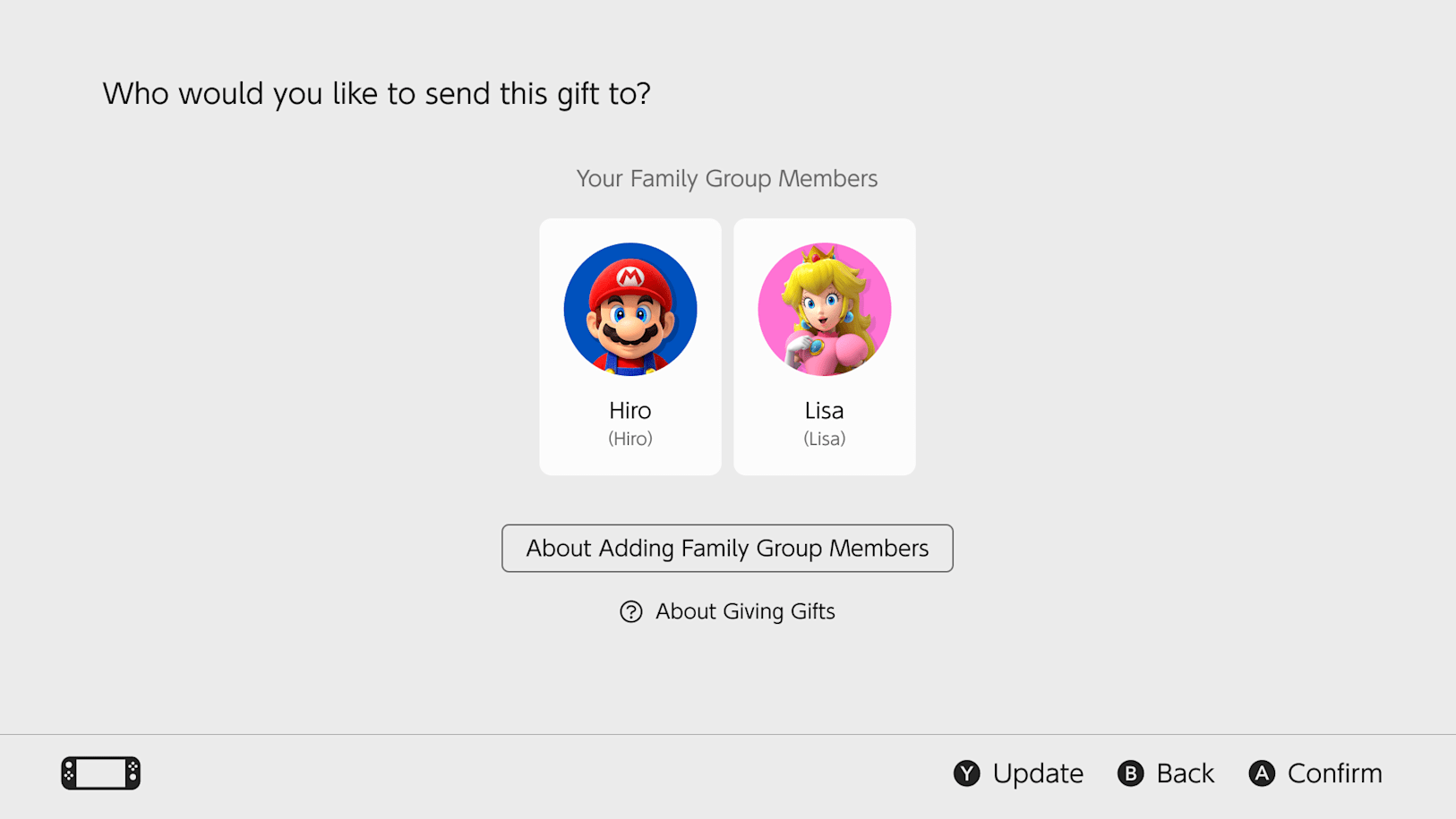
- Pick the recipient from your family group, then choose which of their linked systems should receive it.
- Select a gift-wrap style for the virtual presentation.
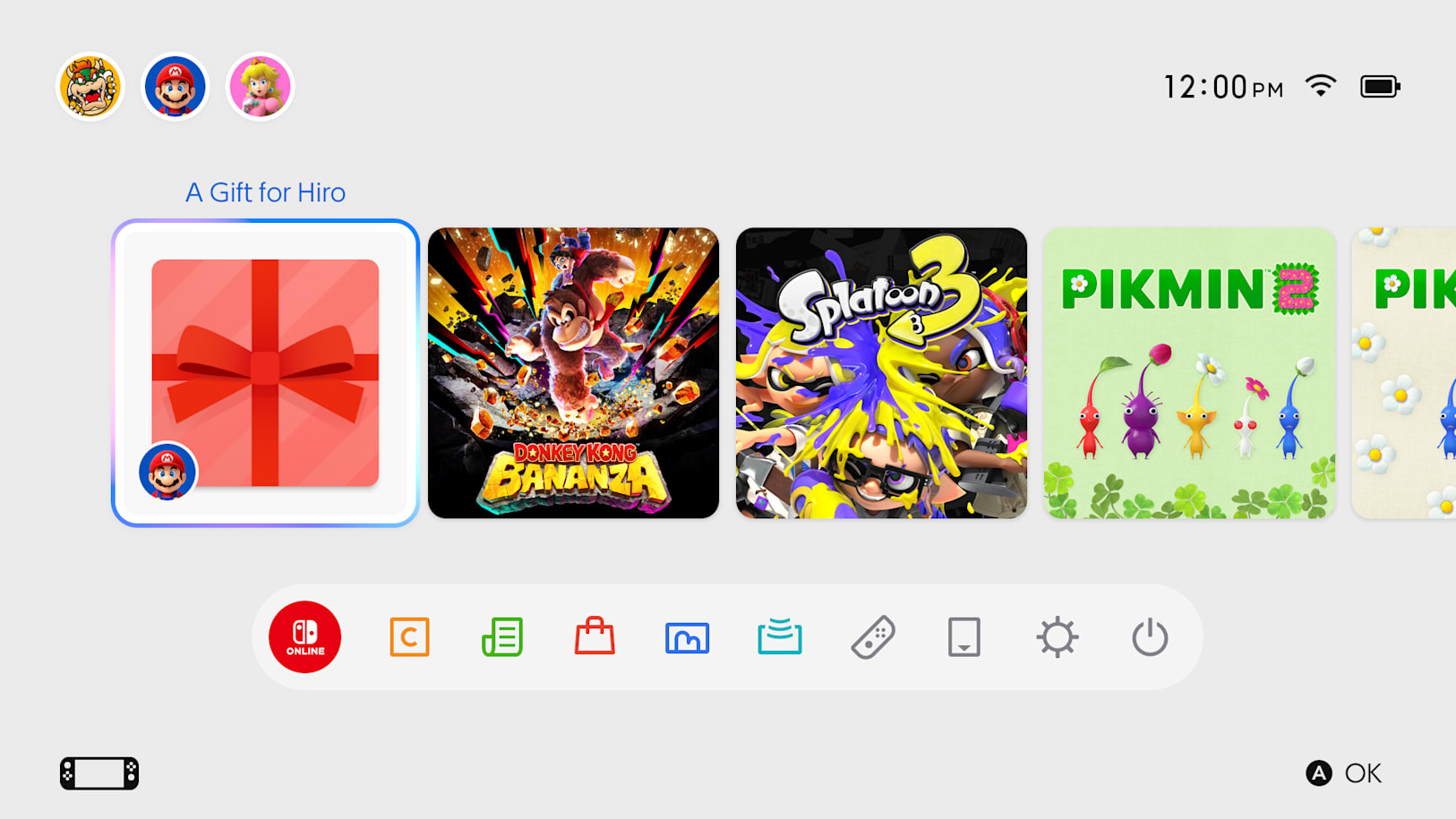
- Complete the purchase; the title appears on the recipient's HOME Menu almost immediately, ready to accept and play.
That instant delivery is the one catch Nintendo flags directly: there's no scheduling a gift to arrive later, so the company's own guidance warns senders to be ready before they check out, since the recipient can see and open the gift right away.
Who can send and receive gifts
Not everything in the eShop will carry the "Give as a Gift" option. Nintendo's announcement specifies that eligible purchases include full games, DLC, and upgrade packs, but says some products will be excluded from gifting entirely without detailing which ones. Supervised accounts, the restricted profiles parents set up for children, cannot send gifts themselves, though nothing in Nintendo's post rules out a child-linked system receiving one from a parent or older sibling. Nintendo also caps how many digital gifts a single account can buy within an unspecified time period, a limit presumably aimed at curbing bulk-buying or resale abuse rather than everyday use between relatives.
The update that unlocks it
The feature rides in on system software version 23.5.0, which Nintendo began rolling out on November 9 for Switch, Switch Lite, Switch OLED, and Switch 2. The update downloads automatically whenever a console is connected to the internet, or it can be triggered manually from the System Settings menu for anyone who wants it installed before the November 16 launch. Nintendo's changelog ties the update directly to gifting, describing it as the release that "allows gifting of Nintendo eShop products to a Nintendo Account family group member."
Why it matters
The timing lines up with the holiday shopping season, when gift cards and physical game swaps are typically the only options for Switch owners who want to surprise someone digitally. Letting a family group member send a game straight to a HOME Menu removes that friction entirely, and it brings Nintendo's storefront roughly in line with the gifting tools Sony and Microsoft have offered for years. Whether Nintendo eventually extends gifting beyond family groups to any friend on a user's list remains unannounced, but for now the company is starting with the account structure it already built for parental sharing.
Official links
Lena tests the hardware that games run on, from handheld thermals to controller latency. If a spec sheet is doing something suspicious, she has already opened the device.