Graveyard Keeper 2 Launches Today: A Beginner's Guide to Your First Hours
Graveyard Keeper 2 launched today on PC and consoles. Here's how to pick the right settings, carry over your demo save, and prioritize your first hours as Inquisitor.
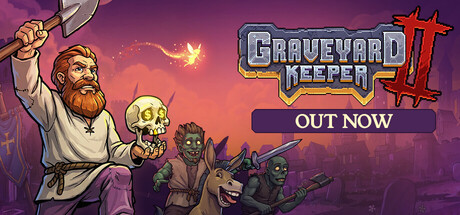
Lazy Bear Games' Graveyard Keeper 2 went live on PC and consoles today, eight years after the original cemetery sim became a cult hit on the strength of its dark humor and its refusal to hold a player's hand. Publisher tinyBuild has priced the sequel at $24.99 across Steam, GOG, Epic Games Store, PlayStation 4, PlayStation 5, Xbox One, Xbox Series X|S, Nintendo Switch and Nintendo Switch 2, and it has been building toward this exact day since a free demo went up two weeks ago at tinyBuild Connect. If you are booting it up for the first time tonight, here is what actually matters before you start digging.
What you are stepping into
The framing is simple: you are the new Grand Inquisitor, and the realm has a zombie problem. According to the game's own Steam store page, that means running the graveyard side of the original — harvesting flora, fauna and human remains to build machinery and automate production — while also rebuilding a ruined Town, leading an undead army into battle, and fortifying against the very zombies you are farming for parts. Those four loops (graveyard, automation, town, combat) all feed each other, and the game expects you to bounce between them rather than master one before touching the next.
That is a bigger ask than the original Graveyard Keeper made of new players, so the smartest first move is not to rush toward any single system. Spend your first in-game day just walking the graveyard and the Town's edges, noting what needs repair and what resources are lying around, before committing to a build order.
Get your settings right before you dig in
Lazy Bear Games lists Graveyard Keeper 2's minimum PC requirements as a 13th-gen Intel Core i3, 6GB of RAM, a GeForce GTX 1650 and 4GB of free storage; the recommended tier steps up to a Core i5, 8GB of RAM and an RTX 3060. If your rig sits closer to the minimum spec, drop shadow quality and foliage density first — the graveyard's automation chains fill the screen with clutter fast, and those are the settings that hit frame rate hardest on integrated or entry-level cards. The game ships with full controller support, so if you are playing on Steam Deck or another handheld, pair it with the Steam Big Picture controller layout rather than fighting the default keyboard prompts.
On console, there is no settings menu to speak of, but the launch build supports DualShock-style controllers across all four platforms, so a rebind is worth doing before your first burial if the default button layout does not match how you play management games.
Carry your demo save into the full game
If you played the free demo that Lazy Bear Games put out during tinyBuild Connect, do not start a new file out of habit. The studio confirmed on its official X account that demo progress carries directly into the September 22 launch, so your early graveyard layout, tech unlocks and relationships should already be waiting for you. Check your save list before you click "New Game" — a fresh start means re-clearing the same starting plot you already cleaned up two weeks ago.
If you skipped the demo, that is fine too; the early hours are built to onboard a completely new Inquisitor, and nothing about the demo content is required to understand the main campaign.
Prioritize energy and inventory before combat
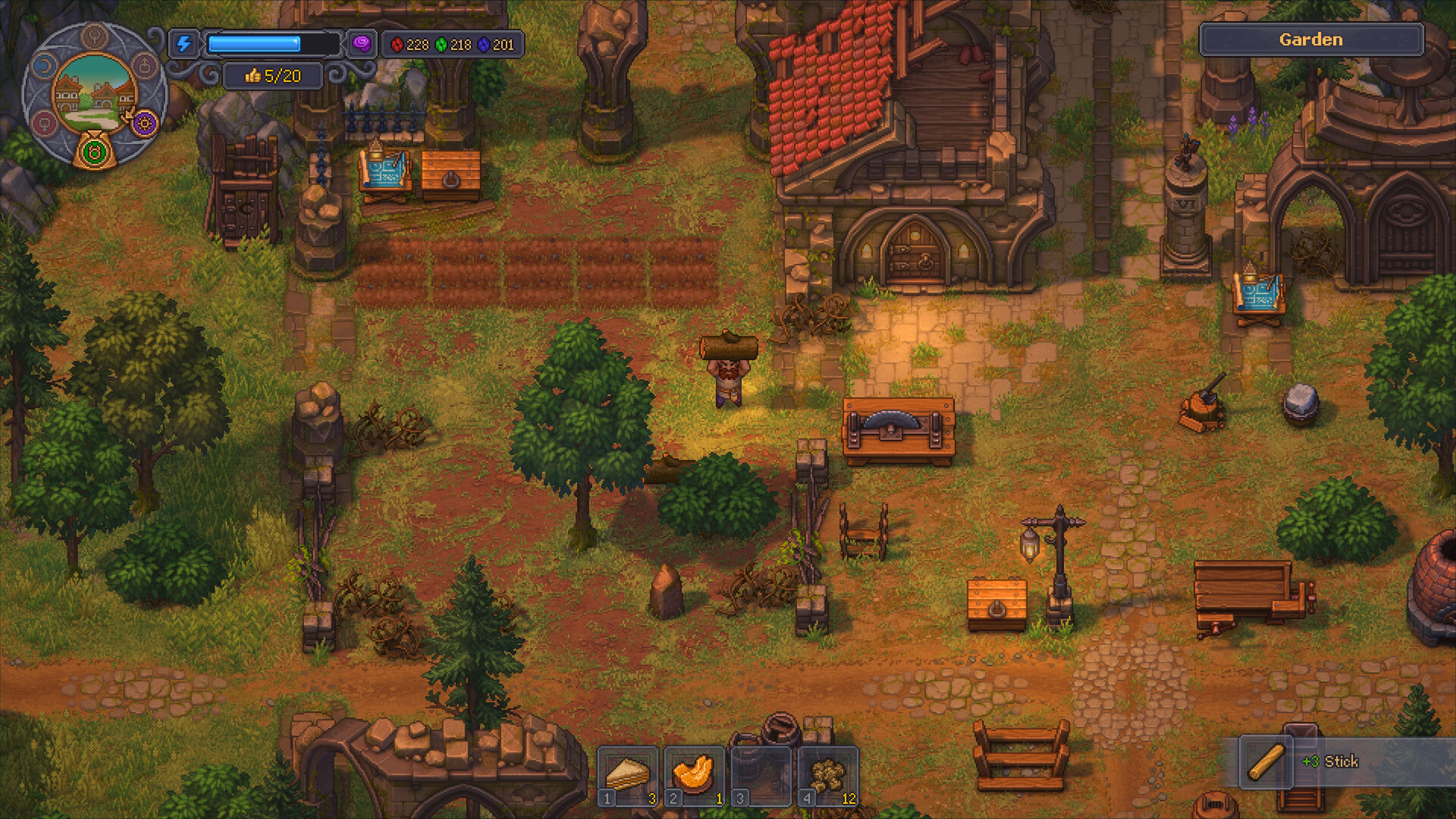
The two systems that quietly wreck a first session in any Graveyard Keeper game are energy management and inventory space, and this sequel has not removed either problem. Every action — digging graves, chopping wood, processing corpses — drains your energy bar, and running it empty forces you into an unproductive sleep cycle. Before you chase the game's combat or automation hooks, get a reliable food source going; even a basic cooked recipe restores far more energy per inventory slot than raw foraged mushrooms or berries, which is the trap most new players fall into during their first two or three days.
Inventory is the second bottleneck. You start with a small grid, and every corpse, plank and seed you pick up competes for the same slots, so it is worth making a habit of dropping off junk at your storage chests after every gathering loop instead of letting your bag fill up mid-task. Neither of these systems is exciting to manage, but they determine how much of your early playtime is spent actually building versus walking back and forth to refill your energy.
Town liberation and zombie combat
Once your graveyard economy is generating a steady supply of parts, the game opens up its second half: liberating the Town. Per the developer's own feature list, this means building barricades, commanding a squad of your own zombies in battle, and crafting armor and weapons to arm them with. Treat this like any other automation chain rather than a twitch-combat detour — the troops you send in are only as good as the equipment you have crafted for them, so a rushed assault with unarmed zombies is a fast way to lose ground you already cleared.
Fortify what you take. The Town stays contested rather than instantly safe once you push the zombies back from a district, and reinforcing a liberated area is cheaper in resources than re-clearing it after a counterattack.

Where to go for more
Lazy Bear Games and tinyBuild are both actively posting patch notes and hot-fix updates through the game's first week, so it is worth bookmarking the official Graveyard Keeper 2 site rather than relying on secondhand summaries if something breaks or changes. The Steam store page also carries the studio's own news posts, which is the fastest place to confirm whether a bug you have hit is already known.
None of this is a substitute for exploring the systems yourself — Graveyard Keeper games have always rewarded players who poke at the edges of their mechanics rather than follow a checklist — but getting your settings, your save file and your energy economy sorted in the first hour buys you a much smoother run at everything the sequel adds on top.
Start your journey as the Grand Inquisitor today with the Graveyard Keeper 2 Demo, AVAILABLE NOW 💀 Keep your progress and continue playing when the full game launches on September 22nd. #tinyBuildConnect2026
— Lazy Bear Games (@LazyBearGames), September 14, 2026 on X
Official links
Sam writes about small studios and the games they ship against the odds, and turns the hardest parts of them into guides that get to the point.