How to Turn On NVIDIA DLSS 5 in Where Winds Meet, Live Today on PC
NVIDIA flips on DLSS 5's neural rendering for Where Winds Meet today. Here's the exact settings path, hardware you need, and the FPS cost involved.
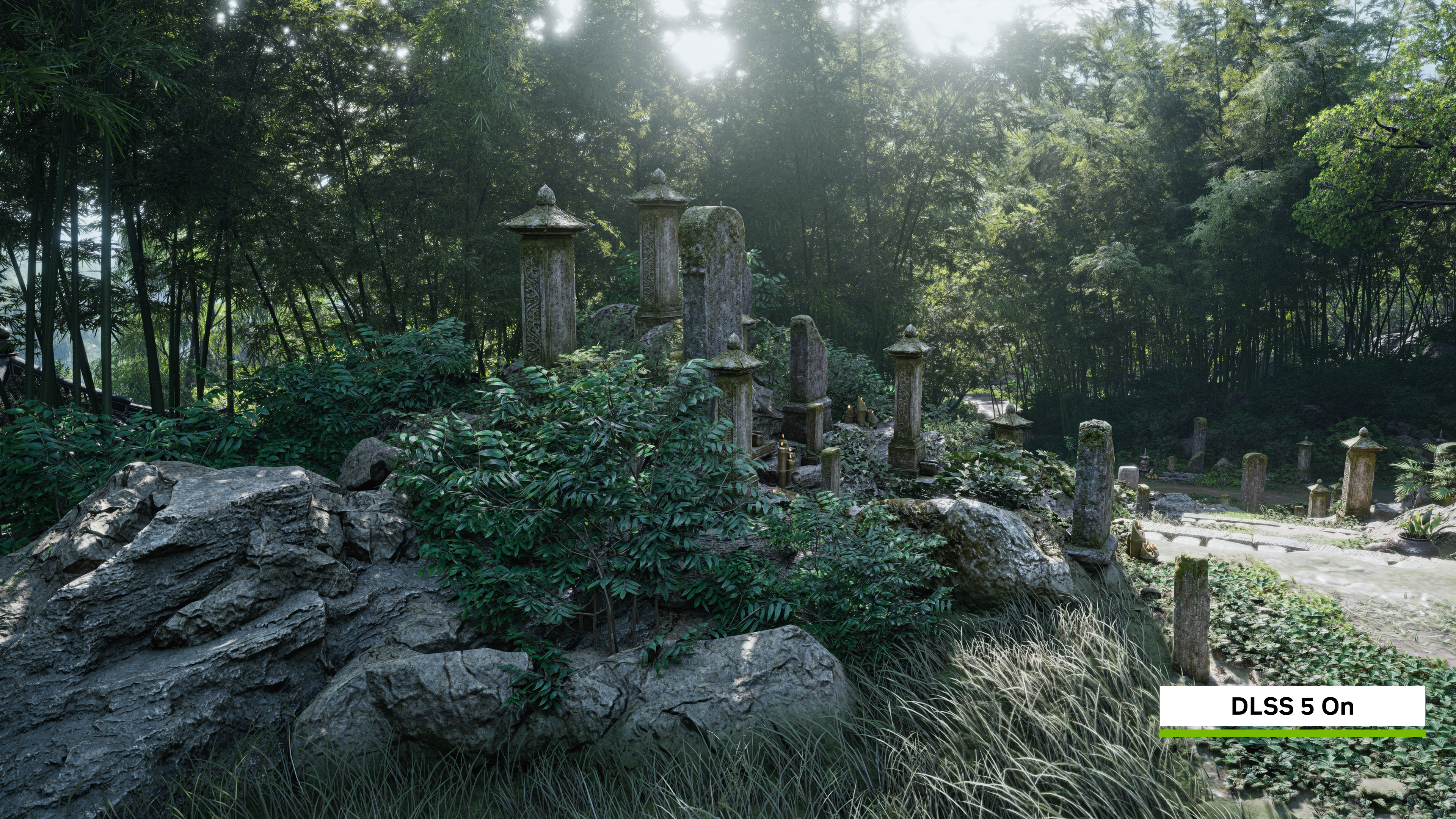
Starting today, November 23, players running Where Winds Meet on an NVIDIA GeForce RTX 50 Series card or an RTX Spark system can switch on DLSS 5, NVIDIA's new 3D-guided neural rendering mode, inside Everstone Studio's free-to-play wuxia RPG. NVIDIA flipped the feature on for the open-world game alongside its GeForce Game Ready 621.24 driver, and the rollout is the third DLSS 5 launch in a month after Hogwarts Legacy and War Thunder picked up the feature earlier in November. Here is what actually changes on screen, which PC you need to see it, and the exact settings path to turn it on without guessing.
What DLSS 5 Actually Does in Where Winds Meet
Older DLSS versions existed to boost frame rate: they upscaled a lower-resolution render or generated extra frames between real ones. DLSS 5 is different. According to NVIDIA's own technical breakdown, it reads a single rendered frame's color and motion data and runs it through an AI model trained to recognize things like hair, fabric, translucent skin and ambient lighting, then redraws the lighting and materials to look closer to a fully ray-traced render. The output is deterministic and temporally stable, meaning it is built to hold steady frame to frame instead of shimmering.
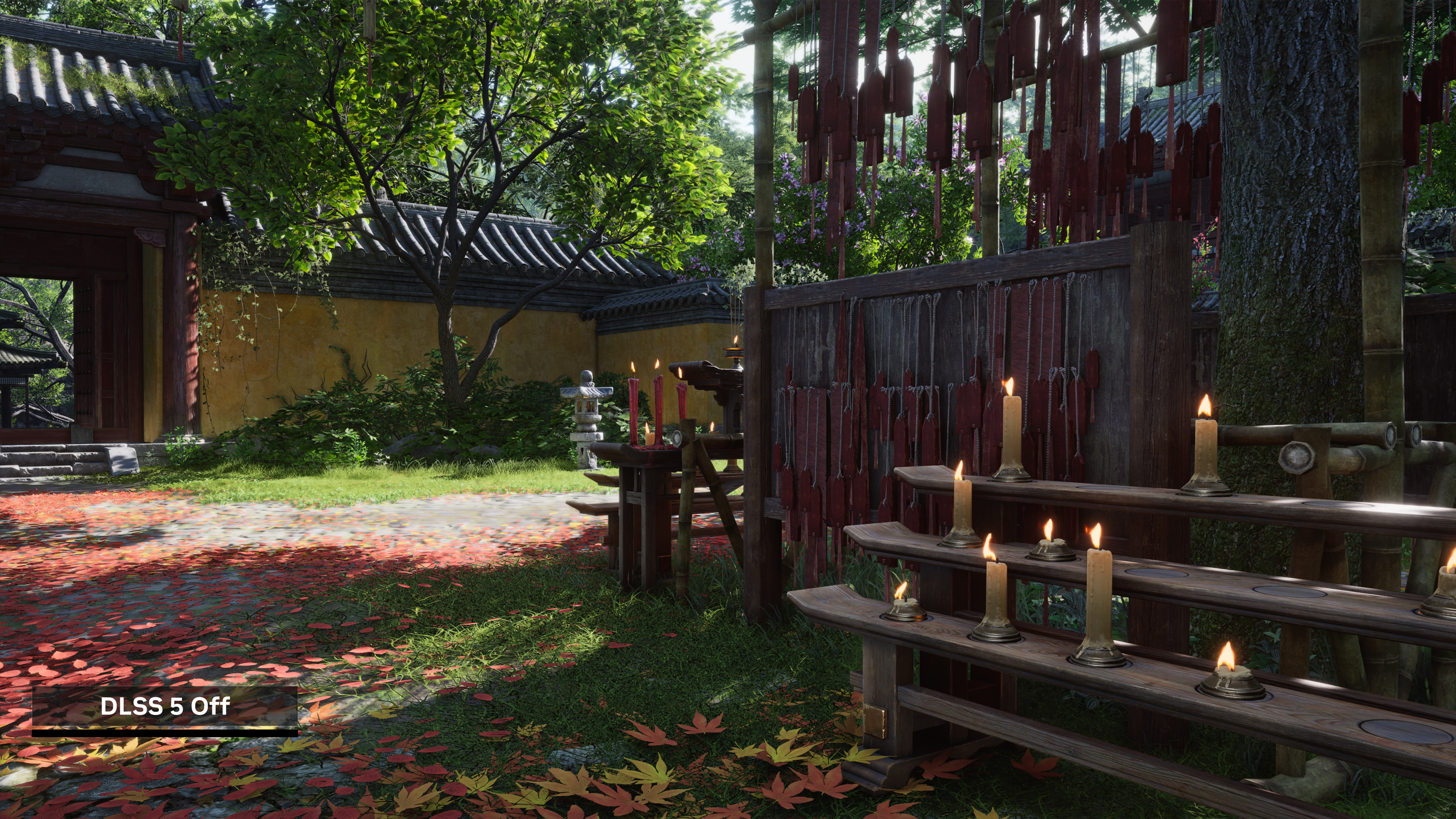
In Where Winds Meet specifically, that means courtyards, lantern-lit streets and forest paths pick up softer, more physically grounded shadows and reflective surfaces without the game's art direction being replaced. NVIDIA's own side-by-side captures below show the difference on the same in-game camera angle, DLSS 5 on and off.

Everstone Studio and NetEase Games pushed the effect's intensity toward the higher end of what NVIDIA's tools allow, which is why the change is more visible here than in some of DLSS 5's earlier game showcases.
The Hardware You Actually Need
This is the part worth checking before you go looking for a settings toggle that will not appear. DLSS 5's neural rendering pass is restricted to GeForce RTX 50 Series desktop and laptop GPUs and RTX Spark systems; it is also available for streaming through GeForce NOW Ultimate. An RTX 40 Series or older card will not show the option, even with the newest driver installed, because the model needs the newer Tensor core throughput to run in real time at up to 4K.
- DLSS 5 (3D-guided neural rendering): RTX 50 Series and RTX Spark only.
- DLSS Multi Frame Generation: RTX 50 Series only.
- Regular DLSS Frame Generation: RTX 40 Series and newer.
- DLSS Super Resolution upscaling: any RTX card, going back to the RTX 20 Series.
If you are on an RTX 40 Series card or older, you can still turn on DLSS Super Resolution and ordinary frame generation where supported; you simply will not see the new neural-rendering toggle. The same restriction applies if you play through GeForce NOW: DLSS 5 streaming is limited to Ultimate-tier subscriptions, so a lower membership tier will show the regular upscaling options instead, no matter what the local client reports.
How to Turn It On, Step by Step
Where Winds Meet's DLSS options only surface when the game is running on its DirectX 12 renderer, so that is the first thing to check, before you even open the in-game graphics menu.
- Update your GPU driver to GeForce Game Ready 621.24 or newer through the NVIDIA app or the GeForce drivers page.
- Make sure Where Winds Meet itself is fully updated, since the DLSS 5 option only appears once the game's November 23 update has downloaded.
- Force the DirectX 12 renderer: on Steam, select the "Where Winds Meet (DirectX12)" launch option before starting the game, or open the standalone launcher, click the menu icon next to Enter Game, and disable the DX11 option.
- In-game, open Settings, then the Display or Graphics tab, and find the Super Resolution / Upscaling section.
- Set the upscaler type to NVIDIA DLSS, then choose the DLSS 5 neural rendering toggle if your card supports it, alongside your preferred Super Resolution quality mode.
- Turn on NVIDIA Reflex in the same menu to keep input latency in check once frame generation is layered on top.
If the DLSS section is missing entirely after all of that, double-check that you are not still launching under DirectX 11; several players hit exactly that issue before this update and found the option simply hidden rather than broken.
The Trade-Off Nobody Advertises
DLSS 5's neural rendering pass is not free. Because it runs a full AI model over every frame rather than only upscaling, it currently costs roughly 40 percent of your frame rate compared with having it off, before any frame generation is layered back on top to compensate. NVIDIA has said a lighter version of the model, debuting first in NBA 2K27 before spreading to other DLSS 5 titles, should claw back around 1.4x of that performance, but that revision has not reached Where Winds Meet yet.
Practically, that means DLSS 5 is worth enabling if you are chasing screenshots or want the best possible lighting for a 4K capture, but players prioritizing frame rate in combat-heavy sections may prefer to leave it off and lean on DLSS Super Resolution plus Multi Frame Generation instead, which carry a much smaller cost. A reasonable starting point on an RTX 5080 or RTX 5090 is to enable DLSS 5 for exploration and photo-mode sessions in Where Winds Meet's cities, then switch it back off before heading into combat zones where every frame matters, until NVIDIA's lighter model lands.
What Else Shipped in This Driver
GeForce Game Ready 621.24 was not built around Where Winds Meet alone. The same release added day-one optimizations for Warhammer 40,000: Dawn of War IV, whose Commander Edition early access begins November 30 ahead of a December 3 worldwide launch, plus a preview of DLSS 4.5 with Dynamic Multi Frame Generation coming to Assetto Corsa Rally. None of those updates require any extra steps beyond installing the driver itself. Anyone who skipped recent GeForce updates should grab 621.24 regardless of whether they play Where Winds Meet, since it is also the current baseline driver for the DLSS 5 rollout across NVIDIA's whole game lineup this month.
For players without RTX 50 Series hardware, the practical takeaway is simpler: DLSS Super Resolution and standard frame generation remain the better-supported, lower-overhead options in Where Winds Meet today, and nothing about this update changes how those already work.
Official links
Lena tests the hardware that games run on, from handheld thermals to controller latency. If a spec sheet is doing something suspicious, she has already opened the device.