How to Optimize Borderlands 4 on PC After Its Level 70 Update
Gearbox says its post-launch work has lifted average frame rates by roughly 20% and nearly halved crash rates. Here's how to configure Borderlands 4 on PC.

Gearbox Software has spent the year since Borderlands 4 launched chasing the same complaint: the looter shooter looked spectacular on Kairos but ran rough on a lot of PCs. That work reached a visible milestone this month. Alongside the Version 1.10 update on September 10, which raised the level cap to 70 and introduced the new Vault Hunter Loveless the Hacker, Gearbox published a detailed account of exactly what its optimization team has changed under the hood since launch. Combined with the studio's own graphics-settings breakdowns for AMD, NVIDIA and Intel hardware, there is now a clear, official picture of how to get the most out of the game on PC.
What actually changed under the hood
In its own PC Performance Status Update, Gearbox says combined GPU, CPU and general efficiency work has improved average frame rates by roughly 20% across the board, including at both the minimum and recommended spec tiers. The studio also says it improved the 1% and 0.1% low frame rates, the bottom slice of frames captured during benchmarking that determine how smooth and stutter-free a game actually feels rather than just its average FPS number. Crash rates have come down sharply too: the studio says the share of sessions ending in a crash has nearly halved since December, from 0.63% to 0.38%, with the number of players affected by any crash dropping from 17% to 9.35%.
Most of the stutter reduction traces back to how the game handles shader compilation. Borderlands 4 is built around billions of dynamically generated guns, each spawned with its own dedicated materials and special effects, which is an enormous amount of shader work for the rendering pipeline. Gearbox says it improved how early the game detects new weapon and effect materials so graphics drivers get more time to precompile them in the background instead of hitching mid-fight. The team also reworked its Hierarchical Level of Detail (HLOD) system, which renders distant terrain across Kairos's seamless open world without load screens, and adopted Unreal Engine 5's Virtual Shadow Maps to cache per-frame lighting calculations from the game's dynamic day-night cycle rather than recomputing them constantly.

The spec tiers, officially
Gearbox's own published requirements give a clean baseline before touching any sliders. Minimum specs target 1080p at 30 FPS on Low settings: a 64-bit OS, an 8-core CPU such as an Intel Core i7-9700 or AMD Ryzen 7 2700X, 16GB of RAM, an SSD, and a GPU with at least 8GB of VRAM such as an RTX 2070, RX 5700 XT or Intel Arc A580.
Recommended specs aim for 1440p at 60 FPS on Medium and roughly double the CPU and memory headroom: an Intel Core i7-12700 or Ryzen 7 5800X, 32GB of RAM, and a GPU class around an RTX 3080, RX 6800 XT or Arc B580. Both tiers still call for 100GB of SSD storage, and Gearbox is explicit that a mechanical hard drive isn't supported for either.
Upscaling, frame generation and the settings that move the needle
The Advanced graphics menu exposes an Upscaling Method toggle for DLSS, FSR, TSR or XeSS, each with its own Upscaling Quality tiers running from Ultra Performance up to Full Resolution, plus a separate Frame Generation toggle and an NVIDIA Reflex Low Latency setting with a Boost mode for RTX owners chasing the lowest input lag. For most mid-range cards, setting Upscaling Method to match your GPU vendor and Upscaling Quality to Quality or Balanced recovers the bulk of the frame rate lost to native rendering with a far smaller visual hit than dropping the Graphics Preset itself down a full tier.
Beyond upscaling, the settings with the largest individual impact are Foliage Density, Volumetric Fog and Volumetric Cloud, and HLOD Loading Range. All three scale how much of Kairos's open, foliage-heavy terrain the game renders in detail at once, and Gearbox's own optimized presets consistently drop them first on lower-end hardware before touching texture or shadow quality, which tend to cost less performance than their names suggest.
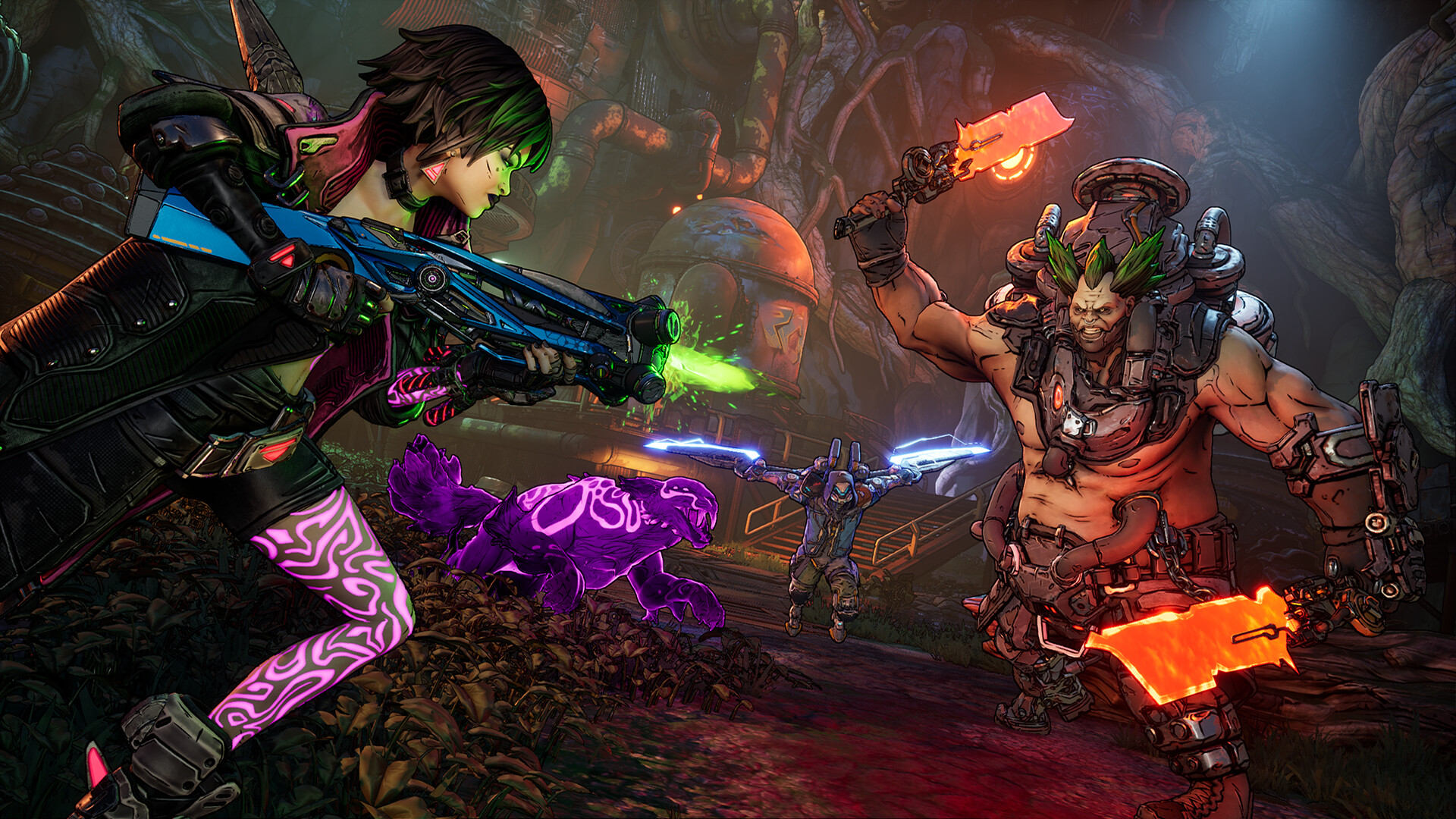
Gearbox's own settings for older and mid-range AMD cards
Rather than leave AMD owners to guess, Gearbox published exact 1080p configurations for specific Radeon cards after early community feedback about performance. An RX 5700 XT hits 60+ FPS running FSR at Quality upscaling with Anti-Aliasing disabled, Geometry and Texture Quality on Low, Foliage Density off, and Shadow, Lighting, Reflections and Post-Processing all set to Low. Step up to an RX 6600 XT or RX 6650 XT and the same 60+ FPS target allows Frame Generation to be switched on, which Gearbox omits entirely from the RX 5700 XT profile since that card falls outside AMD's supported Frame Generation hardware.
The pattern holds across every tier Gearbox lists: Upscaling Method and Quality stay fixed at FSR and Quality, while Geometry Quality, Texture Quality, Foliage Density and Anisotropic Filtering are the levers that scale up as the GPU gets more capable. It's a useful template even for players on NVIDIA or Intel hardware, since the settings that cost the most performance don't change by vendor, only which upscaler reads them.
Accessibility and quality-of-life settings worth knowing
Borderlands 4's standalone Accessibility menu is also worth a look before diving back in for the level 70 grind, particularly for anyone returning after time away. It covers subtitle sizing and background opacity, speaker identification tags, six colorblind presets with adjustable reticle colors, audio mix presets built around specific conditions like tinnitus and misophonia, and full keyboard and controller remapping. None of it affects frame rate, but paired with the difficulty options Gearbox exposes at character creation, it's part of the same push the studio describes in its performance update: making sure the technical side of the game gets out of the way of actually playing it.
Loveless the Hacker herself, an ex-Anshin hacker turned assassin who shares a body with a self-made digital virus, is playable across every part of the base game and its DLC once purchased separately, and she's built to reward the same critical-hit-focused settings tuning most Vault Hunters already lean on. Her trait, RAM, fills from critical hits and status effects and empowers her melee finisher once full, so the smoother and more consistent the frame rate, the easier those windows are to land.
With Loveless, Story Pack 2 and Bounty Pack 5 all live and the level cap raised to 70, there's more reason than usual to make sure Kairos actually runs the way Gearbox intends before jumping back in.
Official links
- Borderlands 4 PC Performance Status Updateborderlands.2k.com
- Borderlands 4 PC Specs and Featuresborderlands.2k.com
- AMD Graphics Settings Optimization Guideborderlands.2k.com
- Loveless the Hacker, Story Pack 2 and Bounty Pack 5 Out Nowborderlands.2k.com
- Borderlands 4 on Steamstore.steampowered.com
- Borderlands 4 on Wikipediaen.wikipedia.org
Lena tests the hardware that games run on, from handheld thermals to controller latency. If a spec sheet is doing something suspicious, she has already opened the device.