How to Set Up Acer's Predator Atlas 8: TDP, XeSS 3 and Display Settings
Acer's Predator Atlas 8 pairs Intel's new Arc G3 Extreme chip with XeSS 3 upscaling. Here's how to tune its power profile, frame generation and display before October.
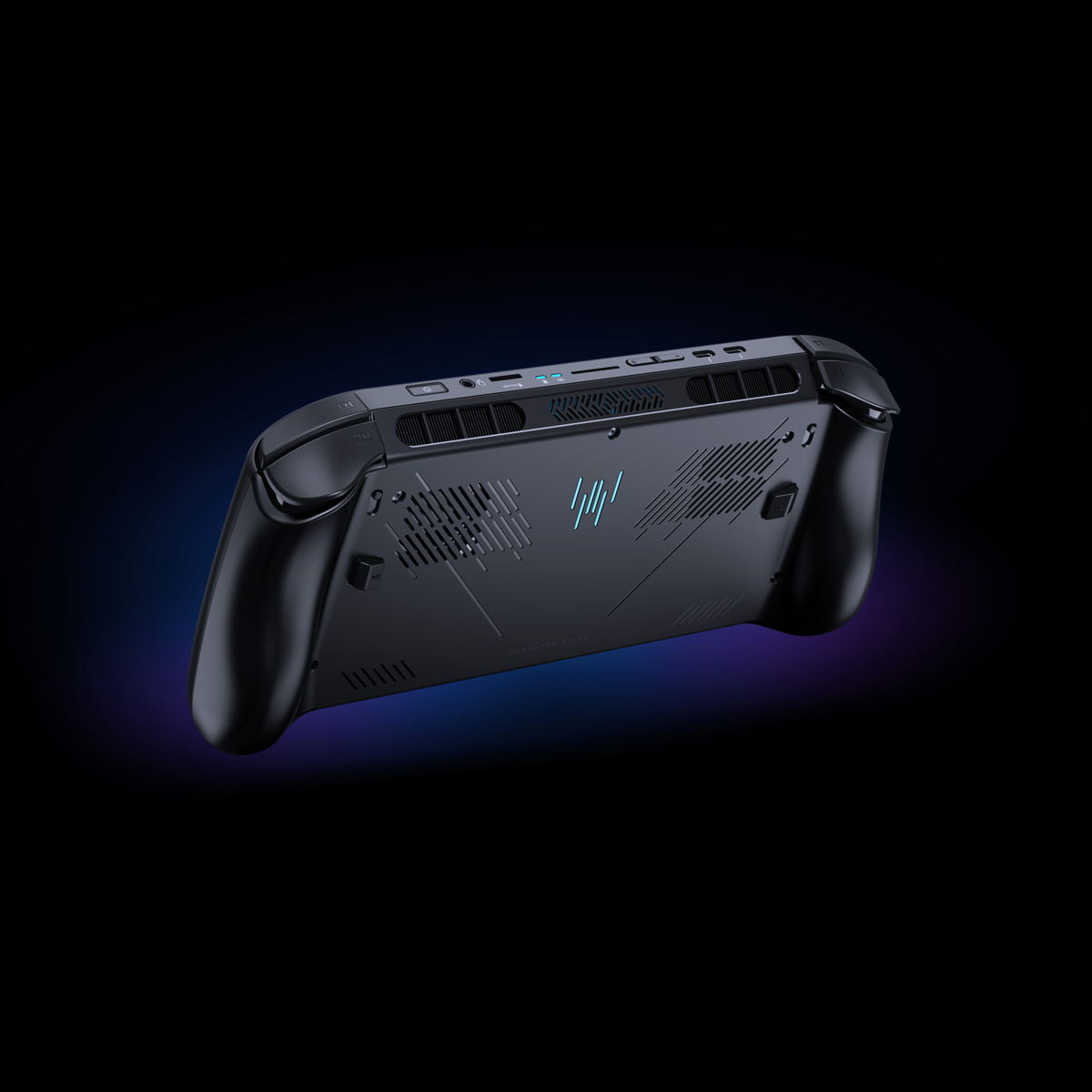
Acer's first Predator-branded handheld is about to land on shelves, and it is carrying hardware nobody has shipped in a handheld before: Intel's new Arc G-Series. The Predator Atlas 8 pairs the Arc G3 Extreme processor with Arc B390 graphics, and Acer confirms the device reaches North America, EMEA and Australia starting this October. For anyone who preorders one, or who is simply deciding whether to upgrade from a Ryzen-based rival, the real work starts after unboxing: setting the power profile, turning on the right upscaling mode and getting the display tuned so the 80Wh battery actually lasts a session.
This is the first handheld built around Intel's purpose-made Arc G-Series silicon, detailed in Intel's own Arc G-Series announcement, and the settings menus are different enough from an AMD or older Intel handheld that a fresh setup pass is worth doing properly rather than leaving everything on default.
What's Actually Inside the Predator Atlas 8
Acer's spec sheet lists two configurations sold under the same PA08-I51 model name. The higher-end build runs the Intel Arc G3 Extreme processor with Arc B390 graphics and an 80Wh battery; the lower-tier build steps down to the plain Intel Arc G3 with Arc B370 graphics and a 60Wh battery, which also shaves about 40 grams off the handheld's weight. Both share an 8-inch WUXGA (1920x1200) IPS-level touchscreen with a 120Hz refresh rate, 500 nits of peak brightness, Gorilla Glass Victus protection and support for Variable Refresh Rate, plus up to 24GB of LPDDR5x memory and a 1TB PCIe Gen4 NVMe SSD.
The Arc G3 Extreme itself is a 14-core chip: two Cougar Cove performance cores that boost to 4.7GHz, eight Darkmont efficiency cores and four low-power efficiency cores, backed by 12MB of cache. Intel's own Arc G3 Extreme specification page lists a configurable TDP range of 8-35W, a 25W base power and an 80W instantaneous turbo ceiling, numbers that explain why the first setting worth touching on this handheld is the power profile rather than anything in a game's own options menu.

Setting a Power Profile Before You Launch Anything
PredatorSense is the control panel Acer bundles for all of its Predator handhelds, and on the Atlas 8 it is where the Arc G3 Extreme's 8-35W TDP window actually gets applied. Running the chip at its 8-35W ceiling on battery will chase every extra frame at the cost of runtime, while dropping toward the 15-20W range keeps fan noise down and stretches the 80Wh cell considerably further in lighter 2D or turn-based games. A practical routine: start a new game at a mid-range profile, watch PredatorSense's onscreen overlay for sustained clock speed and battery drain over ten minutes, then nudge the TDP slider up only if the game is clearly GPU-bound rather than CPU-bound. Because the Arc B390's 12 Xe3 cores share the same power budget as the CPU tile, an unnecessarily high CPU allocation in a GPU-heavy title just wastes watts that could be going to the graphics side instead.
Docked and plugged into a Thunderbolt 4 display, there is no reason to cap TDP at all; the Atlas 8's dual-fan Predator AeroBlade cooling, which includes Acer's first metal cooling fan in a handheld for roughly 10% more airflow, is built to sustain the chip's full turbo power indefinitely rather than just for short bursts.
Turning On XeSS 3: Super Resolution, Frame Generation and Low Latency
The other reason this hardware matters is software: Intel's XeSS 3 stack, which Intel's own XeSS developer documentation breaks into three separate technologies that need to be enabled individually inside a supported game's graphics settings, not through PredatorSense.
- XeSS Super Resolution is the AI upscaler. Render internally at a lower resolution and let the Arc B390's Xe3 cores reconstruct the image; on a handheld screen the Balanced or Quality presets are usually indistinguishable from native rendering, while Performance and the newer Ultra Performance presets are worth reserving for the most demanding ray-traced titles.
- XeSS Multi-Frame Generation is new with this generation: instead of interpolating a single extra frame, it can generate up to three AI frames for every one the GPU actually renders, which is how Intel gets to the up-to-4x performance claims attached to this launch. It only pays off once the base frame rate is already reasonably smooth, so turn it on after a game is already running near 40-50fps, not as a fix for a stutter-prone one.
- Xe Low Latency is not optional once Multi-Frame Generation is active — Intel's documentation states it is a mandatory pairing — and it works by trimming the delay between a CPU-side input and the frame that reaches the screen, which matters more on a handheld controller than it does with a mouse.
In practice: open a supported game's graphics menu, enable XeSS Super Resolution first and pick a preset, then layer Multi-Frame Generation on top once the base frame rate is stable. Low Latency should toggle on automatically alongside it.
Getting the Display Settings Right
The Atlas 8's 120Hz VRR panel is capable of more than most handheld games need, and leaving it locked to 120Hz at all times is one of the fastest ways to drain an 80Wh battery early. VRR means the screen can match whatever frame rate the Arc B390 is actually producing rather than the panel forcing a fixed refresh, so the better routine is to leave VRR enabled globally and only cap the frame rate per-game: 60fps caps for turn-based or narrative games stretch battery life noticeably, while twitch shooters and anything using Multi-Frame Generation benefit from leaving the cap off entirely so VRR can track the higher, AI-assisted frame rate. Brightness is worth dropping from the panel's 500-nit peak for indoor play too, since the display is one of the larger power draws on a device this size.
“Handheld gamers want PC-class performance without being tied to a desktop or charger. With Intel Arc G-Series processors and Acer's Predator Atlas 8, we deliver smooth, high-fidelity gameplay with exceptional battery life in a form factor you can take anywhere. By combining console-like accessibility with innovative technologies like AI-powered XeSS 3 upscaling, we maximize performance and efficiency on the go.”Jim Johnson, Senior Vice President and General Manager, Client Computing Group at Intel
Picking Between the Arc G3 Extreme and the Base Arc G3
For anyone still deciding which configuration to order, the gap is bigger than the name suggests. The base Arc G3 pairs with Arc B370 graphics, which drops to 10 Xe3 cores against the Arc G3 Extreme's full 12, runs at a lower clock, and is capped at a 30W TDP ceiling rather than 35W. Paired with the smaller 60Wh battery, that combination favors esports titles and older, lighter games where Multi-Frame Generation is less necessary. The Arc G3 Extreme and Arc B390 pairing is the one worth prioritizing for anything shipping with ray tracing or demanding XeSS 3's full feature set, which is most of what the Multi-Frame Generation pitch is actually built around.
Acer has not yet confirmed regional pricing or an exact on-sale date beyond "October 2026," and has said in its own release that exact specifications and availability will vary by market, so it is worth checking with a local retailer before assuming a configuration is in stock at launch.
The Bottom Line
None of the Atlas 8's settings are complicated once the chip's power budget is understood: PredatorSense controls how much of that 8-35W window is in play at any moment, XeSS 3's three components need to be switched on inside each game rather than system-wide, and the 120Hz VRR panel is worth leaving adaptive while capping individual games' frame rates to match what they actually need. Get those three things right on day one and the Predator Atlas 8 should behave closer to Intel's performance-per-watt claims than to the default, unoptimized state most handhelds ship in.
Official links
Lena tests the hardware that games run on, from handheld thermals to controller latency. If a spec sheet is doing something suspicious, she has already opened the device.