How to Turn On NBA 2K27's New, Faster DLSS 5 Model for a Real FPS Boost
NVIDIA's October update makes DLSS 5's neural rendering model twice as fast and lighter on VRAM. Here's exactly how to switch NBA 2K27 over to it today.
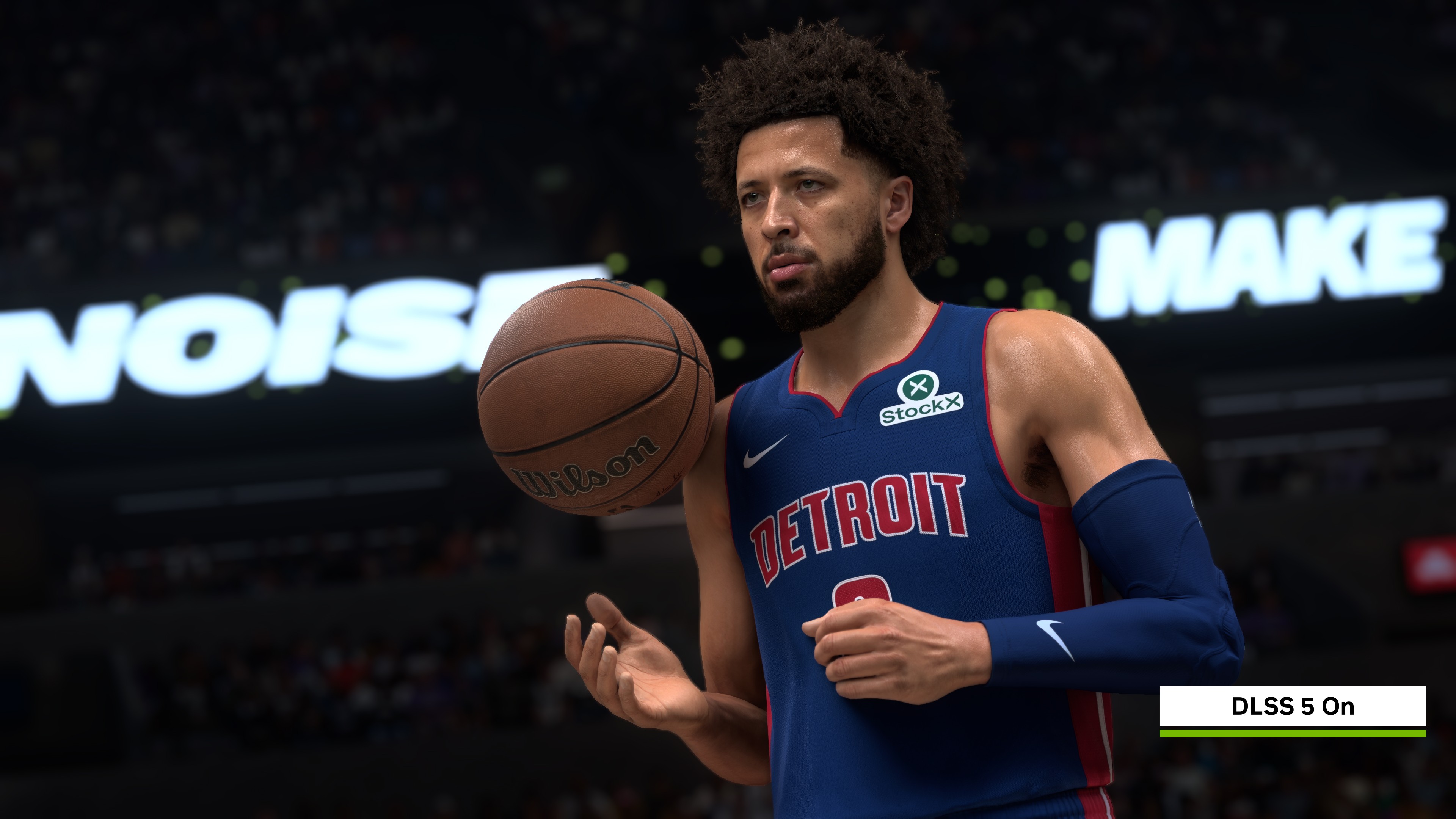
DLSS 5 has been running on GeForce RTX 50 Series cards since NBA 2K27 launched in September, but the version you installed back then is no longer the fastest one NVIDIA makes. A driver and in-game update rolled out this October swaps in a lighter, quicker neural rendering model, and the upgrade is already live. If you own an RTX 5070, 5080 or 5090 and haven't touched your settings menu since launch week, there's a real performance gain sitting unclaimed.
Here's what changed, why it matters for anyone actually trying to hold a frame rate during a fast break, and the exact menu steps to get the new model running tonight.
What NVIDIA Actually Changed in October
DLSS 5 with 3D-Guided Neural Rendering first shipped with NBA 2K27 on September 3, built around a neural network that reconstructs lighting, skin shading and hair from a 3D-aware model rather than a flat 2D image. It looked good. It was also heavy, which is why NVIDIA spent the following weeks trimming it down.
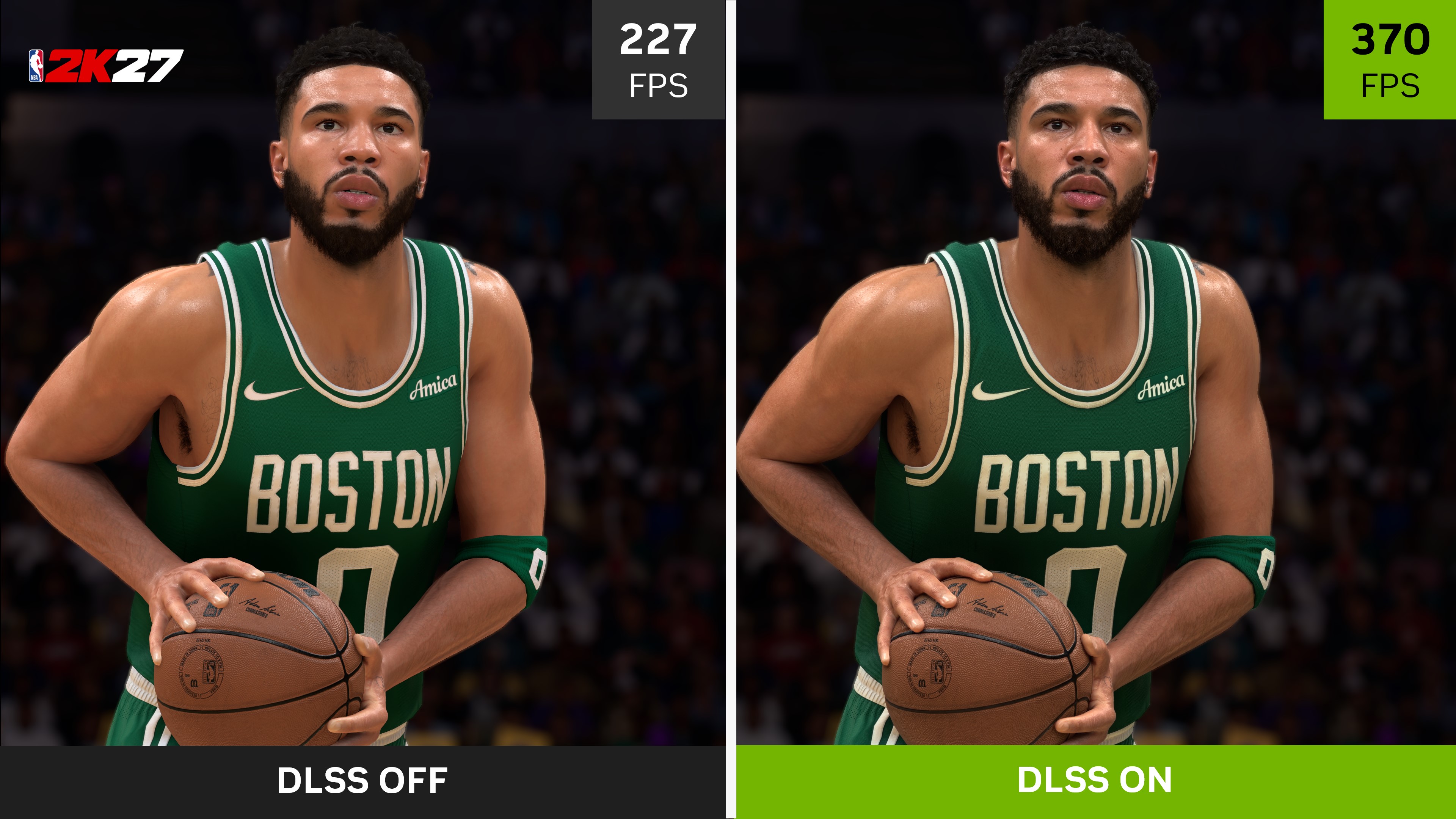
According to NVIDIA's own announcement, the October revision cuts the model's footprint by 24%, down to roughly 118 million parameters, and drops VRAM usage at 4K by 20%. NVIDIA says the GPU overhead is now half of what the September build demanded, with comparable image quality, and the underlying model runs 2X faster than it did at launch and 10X faster than the version NVIDIA first showed off back in March. In NBA 2K27 specifically, NVIDIA's own figures put the frame rate gain at up to 1.4X.
None of those are independent, third-party benchmark numbers. They're NVIDIA's figures, measured on NVIDIA's hardware, and treat them that way. But the direction is consistent with what the company has said about every DLSS 5 revision since launch, and the new model is what's actually shipping in the client now, not a future promise.
How to Turn It On
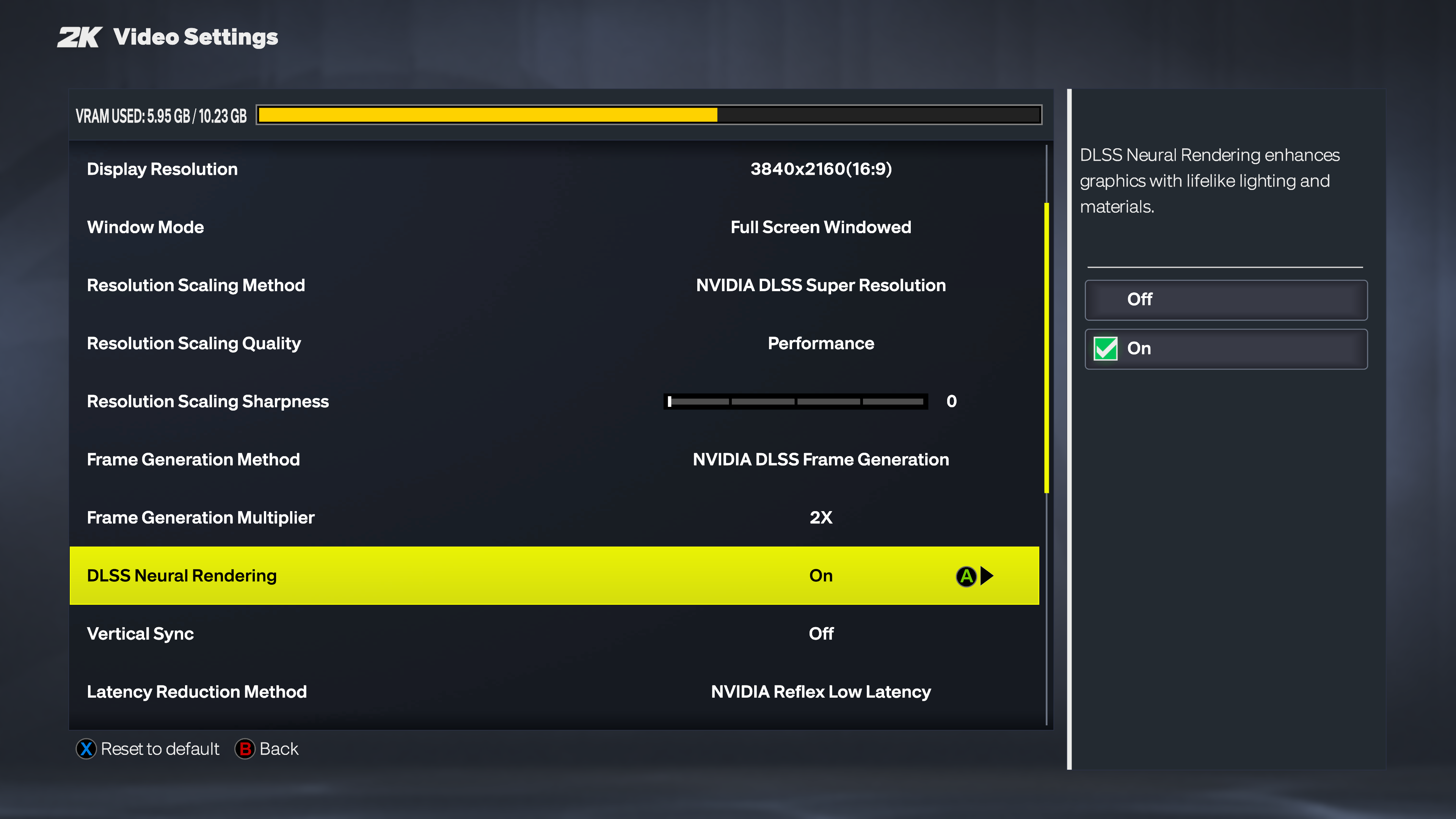
If you already had DLSS Neural Rendering enabled in NBA 2K27, you don't need to do anything extra to use NVIDIA's updated model, since the swap happened on NVIDIA's and 2K's side through the driver and a game update. But it's worth confirming the setting is actually active, since it's easy to have missed it back in September:
- Install the current GeForce Game Ready Driver from the NVIDIA app or NVIDIA's site. NVIDIA has bundled the faster model into the driver stack rolling out alongside this update.
- Launch NBA 2K27 and open its Video Settings menu.
- Find "DLSS Neural Rendering" and switch it on.
- Set DLSS Super Resolution, Dynamic Multi Frame Generation and NVIDIA Reflex to whatever quality or performance balance suits your setup underneath it.
DLSS 5's neural rendering mode is still locked to GeForce RTX 50 Series desktop and laptop GPUs, including RTX Spark laptops, plus GeForce NOW's RTX-powered tier. NVIDIA has said RTX 40 Series support is planned, but it hasn't shipped, so Ada Lovelace owners are stuck on standard DLSS Super Resolution and Frame Generation for now. If NBA 2K27's options menu doesn't show the Neural Rendering toggle at all, your GPU isn't currently eligible, and no settings change will unlock it.
A Faster Frame Gen Mode Worth Checking Too
NVIDIA's October update also bundles a Frame Generation Performance Mode, internally labeled "Preset C," that's rolling out as a beta through the NVIDIA app rather than inside NBA 2K27 itself. NVIDIA claims it's up to 35% faster than standard Frame Generation on a GeForce RTX 5060, with what the company describes as minor image quality trade-offs. Unlike the Neural Rendering model, this one isn't restricted to RTX 50 Series; NVIDIA lists it as available on RTX 40 Series GPUs too.
To try it, open the NVIDIA app, go to Graphics, select NBA 2K27 under Program Settings, and look for the DLSS Override section under Driver Settings. The Model Presets list is where "Model C" shows up once the beta rolls out to your driver branch. It's a separate lever from the in-game Neural Rendering toggle, and you can run both at once.
Whether the Upgrade Is Worth Chasing
For most players, yes, with one caveat: NVIDIA's own numbers describe a performance improvement with similar visual fidelity, not a free upgrade with zero cost. If the September model already ran acceptably on your card, this update should feel like the same look at a noticeably lower VRAM and compute cost, which matters more the lower you sit in the RTX 50 Series stack. An RTX 5070 or 5070 Ti owner stands to gain more headroom from this than someone already running a 5090 at native settings.
It's also a preview of where DLSS 5 is heading across NVIDIA's whole lineup. The same 3D-Guided Neural Rendering model is scheduled to reach Hogwarts Legacy on November 5 and Where Winds Meet in late November, both on GeForce RTX 50 Series, GeForce NOW and RTX Spark laptops. NVIDIA also says DLSS 5 arrived on RTX Remix, its tool for modding ray tracing and neural rendering into older PC games, on October 23. NBA 2K27 is effectively the testbed NVIDIA is iterating on in public before pushing the same model everywhere else, which is also why the game is worth revisiting even if you tried Neural Rendering once in September and shrugged it off.
What to Watch For Next
Keep an eye on your driver update notes rather than assuming a one-time fix will stay current. NVIDIA has now revised this specific model twice since NBA 2K27 launched in September, and the Frame Generation Performance Mode is still explicitly a beta, which means its behavior and availability window could shift before NVIDIA calls it finished. If you hit stability issues after installing the new driver, the Neural Rendering and Preset C toggles are both independent of each other and of standard DLSS Super Resolution, so you can switch either off without losing upscaling entirely.
It's also worth remembering this is still an opt-in feature, not a replacement for DLSS Super Resolution on its own. If 3D-Guided Neural Rendering ever introduces a visual artifact you don't like, courtside crowd shimmer or odd skin highlights under certain lighting, turning the toggle back off drops you straight back to the standard DLSS 4.5 pipeline NBA 2K27 shipped with, with no driver reinstall required.
For a courtside demo of what the update is supposed to look like in motion, NVIDIA's NBA 2K27 Steam page and 2K's own site are the places to check for patch notes as the rollout continues.
Official links
Lena tests the hardware that games run on, from handheld thermals to controller latency. If a spec sheet is doing something suspicious, she has already opened the device.


