How to Turn On DLSS 5's Neural Rendering in Hogwarts Legacy's November 5 Update
NVIDIA's November 5 update brings DLSS 5's 3D-Guided Neural Rendering to Hogwarts Legacy on RTX 50 cards. Here's how to enable it and what hardware it needs.
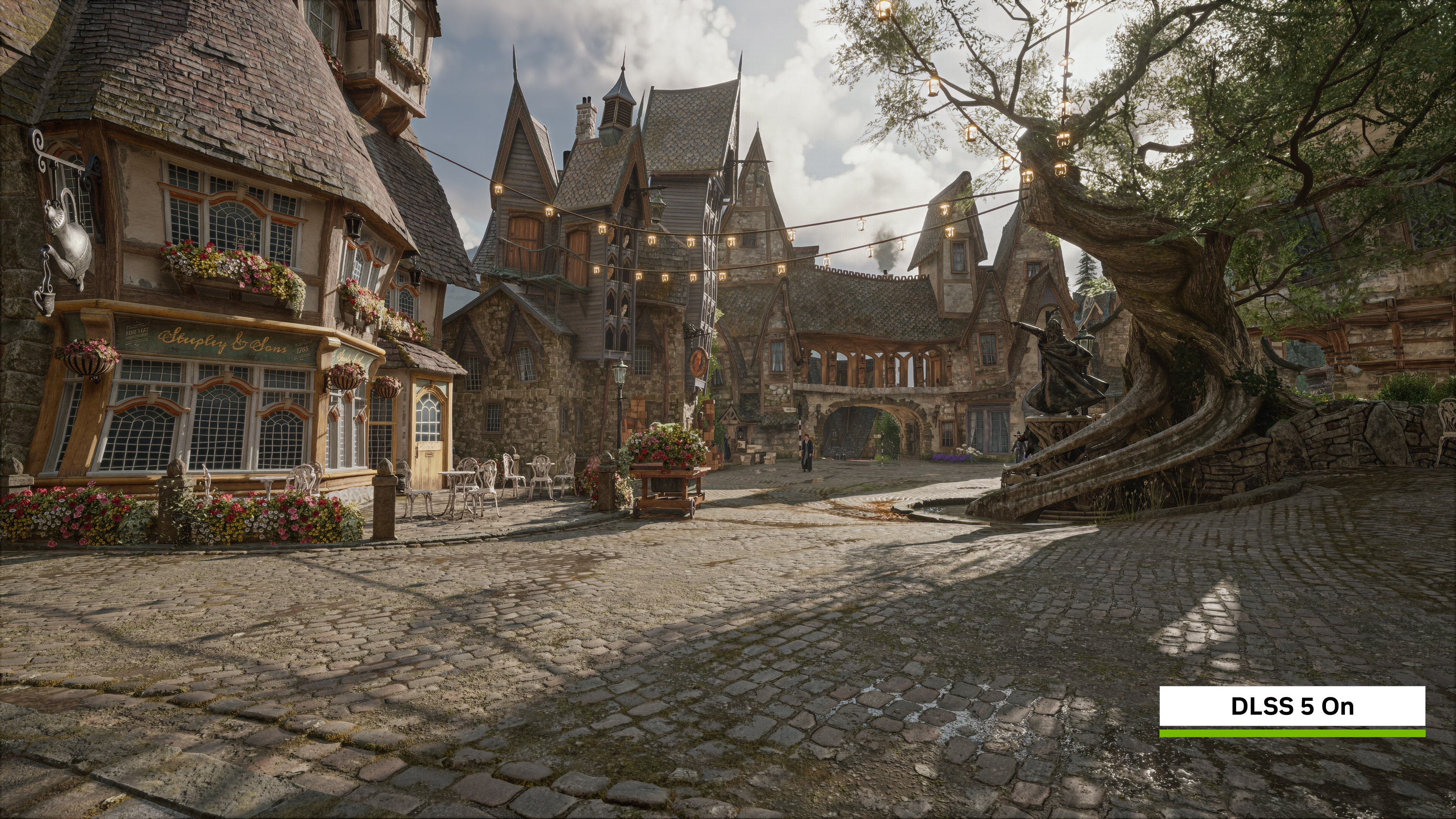
NVIDIA and Avalanche Software are flipping on one of the biggest graphics options Hogwarts Legacy has ever shipped with. Starting November 5, the open-world RPG adds DLSS 5 with 3D-Guided Neural Rendering, a feature that reworks how lighting and materials get rendered rather than just how the image gets upscaled. It is also, for now, the most hardware-restrictive setting NVIDIA has shipped under the DLSS banner, so knowing whether your rig qualifies matters before you go looking for a toggle that will not appear.
Hogwarts Legacy already supports DLSS Multi Frame Generation and Ray Reconstruction on GeForce RTX systems. Today's update does not replace either of those; it adds Neural Rendering on top and pushes the game's existing DLSS features to NVIDIA's newest model versions at the same time, according to NVIDIA's own release notes.
Published by Warner Bros. Games under its Portkey Games label, Hogwarts Legacy has sold more than 40 million copies since its 2023 launch, and it's still one of the heaviest showcases NVIDIA has for ray-traced lighting in an open-world game. That's exactly why it's a logical test bed for Neural Rendering: the Hogwarts castle grounds, Forbidden Forest and Hogsmeade are full of the stone, wood, water and candlelight that the feature is built to enhance.
What 3D-Guided Neural Rendering Actually Changes
Every other DLSS technology works by reconstructing data the game engine already produced: a higher-resolution image from a lower-resolution render, extra frames interpolated between real ones, or cleaner denoising on ray-traced lighting. Neural Rendering does something different. It treats the engine's rendered frame, complete with its geometry, textures and lighting buffers, as a fixed foundation, then uses an AI model to add lighting and material detail that real-time rendering normally has to strip out to hit a playable frame rate.
NVIDIA frames it as the final stage of the graphics pipeline rather than a replacement for any earlier one: the engine still defines what has to stay the same, and the model only fills in what real-time constraints would otherwise cut. Avalanche Software tuned the effect specifically for Hogwarts Legacy's 1800s wizarding-world aesthetic using DLSS 5's developer-side controls, the same tool other studios used after March's reveal drew criticism for over-processed character faces.
Which PCs Actually Qualify
This is the part worth checking before you dig through menus. Neural Rendering in Hogwarts Legacy is limited to:
- GeForce RTX 50 Series desktop and laptop GPUs
- RTX Spark laptops
- GeForce NOW Ultimate, streamed from RTX 5080-powered cloud servers
GeForce RTX 40 Series and older cards are not on NVIDIA's supported list for this specific feature. If you're on a 40 Series card, Hogwarts Legacy's existing Multi Frame Generation and Ray Reconstruction support is untouched by today's update, and there's a separate performance option worth trying instead, covered further down.
The restriction isn't new to Hogwarts Legacy. Every game that has shipped 3D-Guided Neural Rendering so far, including NBA 2K27, has stayed within the same RTX 50 Series, RTX Spark and GeForce NOW Ultimate boundary, so this is a continuation of NVIDIA's existing policy rather than a special case for this title.
How to Turn It On
Assuming your hardware qualifies, enabling it takes a few steps:
- Update Hogwarts Legacy through Steam, the Epic Games Store or your launcher of choice; the Neural Rendering support arrives in the game's November 5 patch.
- Open the NVIDIA app and install the GeForce RTX and RTX Spark Game Ready Driver, version 621.14 WHQL or newer, which NVIDIA shipped alongside World of Warcraft: Forever's launch this week.
- Launch Hogwarts Legacy and open Options, then the Graphics menu.
- Find the Neural Rendering setting and switch it on. The game's other DLSS options, including Multi Frame Generation and Ray Reconstruction, are upgraded to their newest model versions automatically with the same patch, so there's nothing extra to configure there.
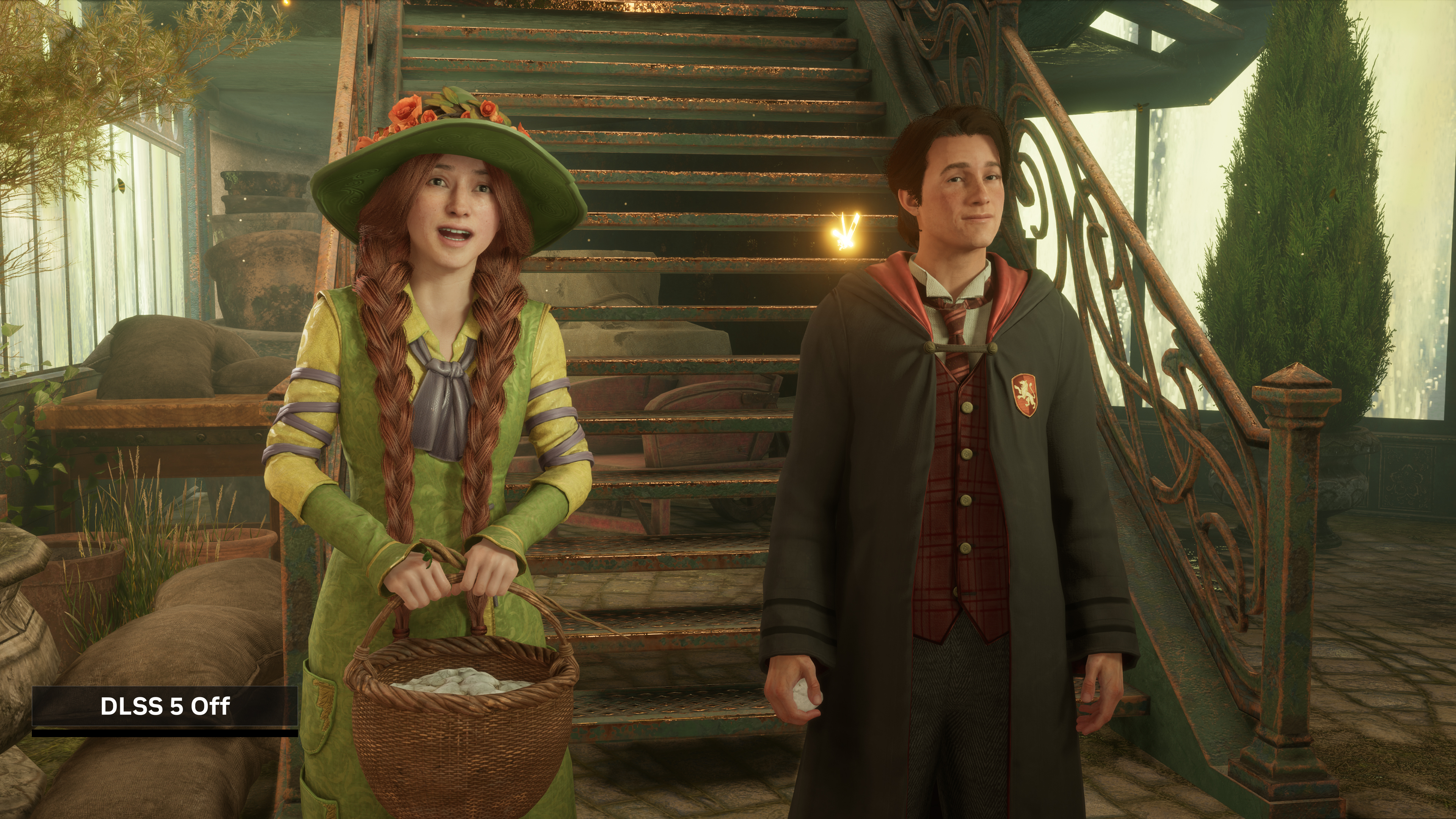
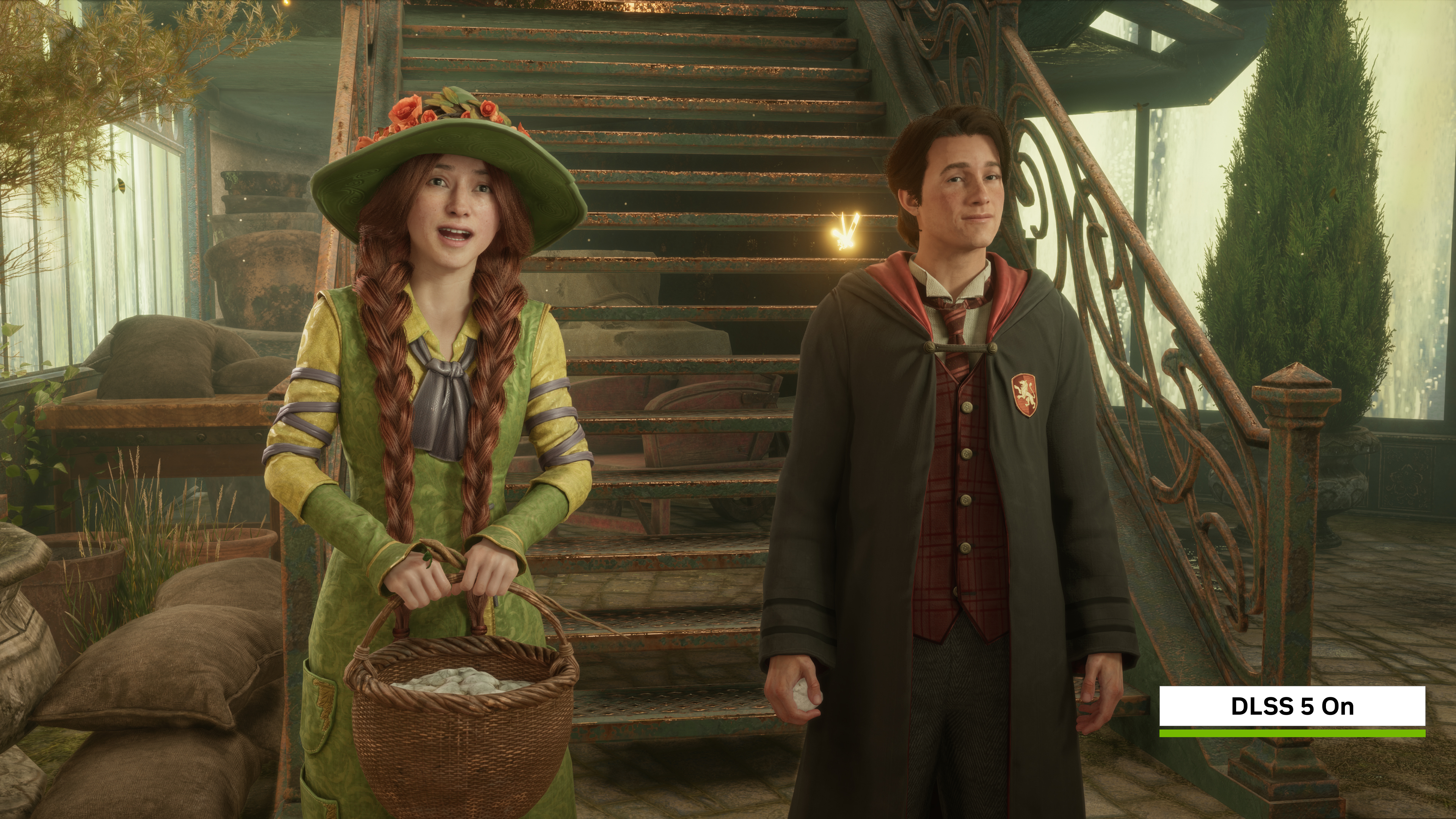
NVIDIA's own comparison shots show the difference concentrated in ambient lighting, reflections and surface materials, things like stone, wood and fabric, rather than in character faces, which is the area that drew the most pushback when the feature was first shown off in March. There's no separate quality slider for Neural Rendering itself; it's a single on/off switch layered over whatever Multi Frame Generation and Ray Reconstruction settings you were already using, so there's no need to retune the rest of your graphics options after flipping it on.
Why the Model Got Faster Right Before This Rollout
Part of why NVIDIA is comfortable widening Neural Rendering's footprint now is that the model itself just got lighter. An October refinement shrank it by 24%, to roughly 118 million parameters, cut 4K VRAM usage by 20%, and halved the GPU overhead compared with the version that launched in September. NVIDIA says the current model is now 10 times faster overall than the one it first demonstrated in March, through a combination of pipeline optimizations and refinements to the neural model itself rather than any single change. NBA 2K27 was the first game to receive the faster build, on October 16, where NVIDIA measured frame-rate gains of up to 1.4x, and NVIDIA says the lighter model will ship by default in every future DLSS 5 game rather than remaining an opt-in upgrade. Where Winds Meet is next in line for Neural Rendering, arriving later in November, with NVIDIA saying its developers were impressed by the visual upgrade during early testing.
A Performance Option Worth Trying If You're Not on RTX 50
If Neural Rendering itself is off the table on your hardware, NVIDIA also opened a beta for RTX 40 Series, RTX 50 Series and RTX Spark owners this week: a new Frame Generation Performance Mode, internally labeled Preset C. It swaps out the optical-flow AI model Frame Generation normally leans on for a lighter algorithm, and NVIDIA's own testing puts it up to 35% faster on an RTX 5060, with a minor image-quality trade-off. It works across standard Frame Generation, Multi Frame Generation and Dynamic Multi Frame Generation, which means Hogwarts Legacy benefits from it even without Neural Rendering in the mix.
To try it, install the latest NVIDIA app beta, then open Graphics, Driver Settings, DLSS Override, Model Presets, Custom, and set Frame Generation to Preset C. It's a driver-level override, so it applies the next time you launch Hogwarts Legacy rather than requiring any in-game change. Because it's still in beta, it's worth testing with and without it on your own save before leaving it on permanently; the quality trade-off NVIDIA describes is minor but it is a real trade-off, not a free performance gain.
Full technical detail on the driver itself, including the complete list of supported titles and known issues, is in NVIDIA's 621.14 release notes. Hogwarts Legacy's requirements and current patch notes are listed on its Steam store page.
Official links
Lena tests the hardware that games run on, from handheld thermals to controller latency. If a spec sheet is doing something suspicious, she has already opened the device.