How to Fix The Witcher 3 Remastered's PC Graphics Settings After Patch 5.01
Patch 5.01 stops DLSS and XeSS from switching on for unsupported GPUs, turns dynamic resolution off by default, and reworks bloom and ray tracing settings.

CD Projekt Red's free upgrade to The Witcher 3: Wild Hunt — Remastered landed in late September, and its first major follow-up arrived on October 8 with patch 5.01. The update is less about new content than about cleaning up the graphics options menu the remaster shipped with, which had been quietly misbehaving since launch. If your settings have looked wrong, reset themselves, or just felt slower than they should, here is what changed and how to get the PC version tuned correctly again.
A Rocky Launch Month
Patch 5.01 is actually the third fix CD Projekt Red has pushed out since the remaster went live. Hotfix 5.00c, released October 1 for PC only, reverted a change that had introduced significant HairWorks performance and visual problems, fixed a bug that could stop saving or loading entirely if your Documents folder path contained special characters, and corrected voiceover audio becoming far quieter than other game sound after navigating the pause menu's tabs. The same day, patch 5.00b addressed console complaints about over-dark interiors with what CD Projekt Red called "various lighting adjustments," and fixed DLSS being unavailable entirely on the Xbox Play Anywhere PC build. Anyone who had already written off the remaster's visuals after the September 29 launch has a genuinely different game to look at now that these three updates have landed back to back.
What Patch 5.01 Actually Fixes on PC
According to the official patch notes, three further PC-specific bugs are resolved. GTAO Quality no longer reverts to its default value every time you restart the game, so ambient occlusion settings finally stick. Dynamic Resolution Scaling no longer displays the wrong state after you change the anti-aliasing mode, which had been a common source of confused bug reports. And, most importantly, switching between graphics presets can no longer silently enable DLSS or XeSS on GPUs that do not actually support them, a bug that left some players running an upscaler their card could not properly use without realizing it.
CD Projekt Red also changed a default alongside those fixes: Dynamic Resolution Scaling now starts off unless you turn it on yourself. If you remember the remaster running below your target frame rate at launch and assumed your hardware was the problem, it is worth checking that setting again, since DRS being silently enabled was masking the real cause for some players.
Rebuilding Your Preset From Scratch
Because presets could previously apply unsupported upscaling, the safest approach after installing 5.01 is to not trust a preset you selected before October 8. Here is the order worth working through:
- Pick a graphics preset (Low, Medium, High, Ultra, Ultra+) as your baseline, then open the advanced menu and manually confirm which upscaler is active.
- Set DLSS, FSR or XeSS explicitly rather than letting the preset choose it — Nvidia RTX cards should use DLSS, AMD Radeon cards FSR, and Intel Arc cards XeSS.
- Re-enable Dynamic Resolution Scaling manually only if you want it; it is off by default as of this patch.
- Re-check GTAO Quality and your HairWorks toggle after your first restart to confirm both fixes actually held on your system.
Dialing In Ray Tracing and Path Tracing
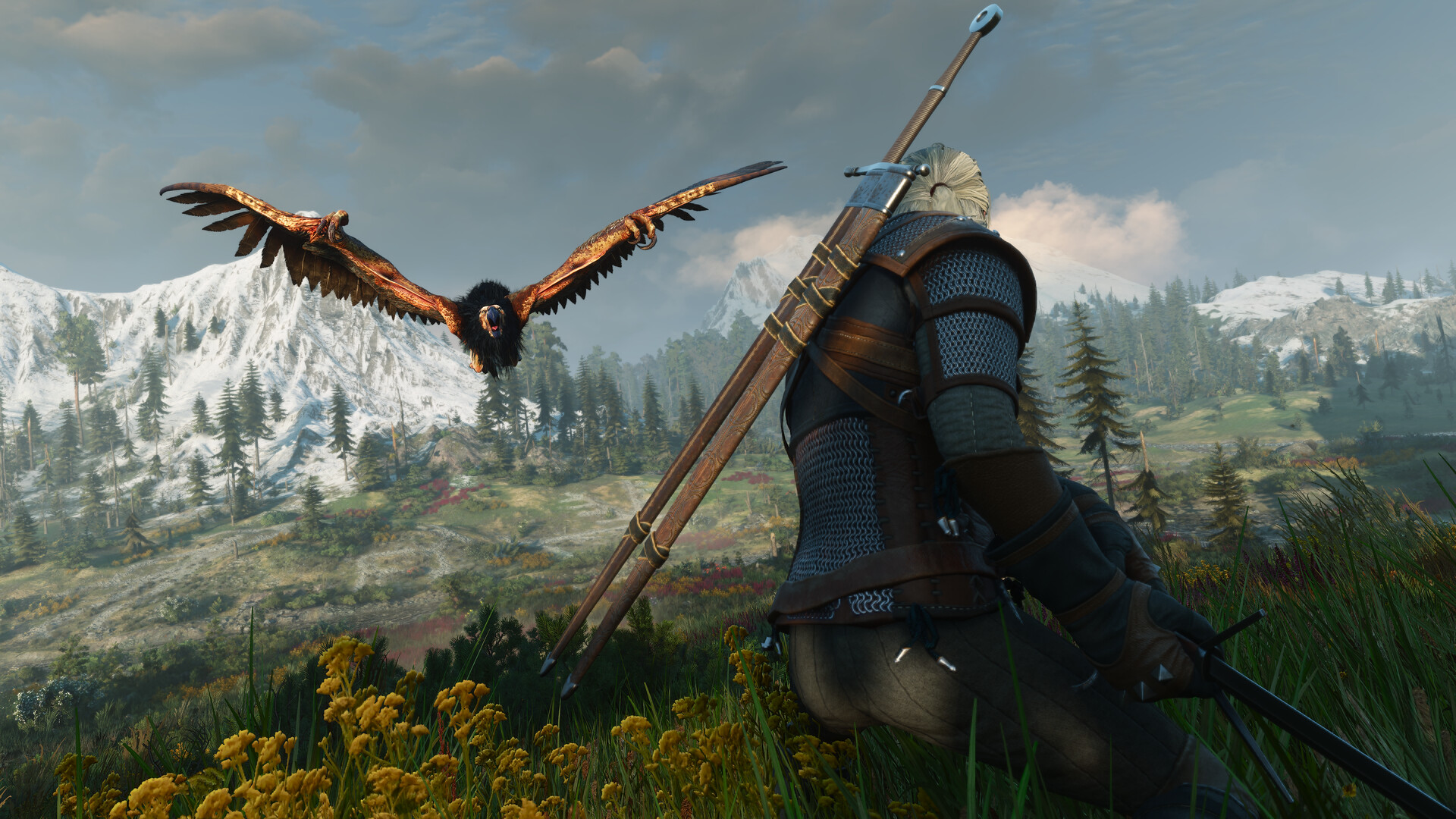
Patch 5.01 also reworked bloom, tone mapping, character lighting, and both Ray Tracing and Path Tracing, so a path-traced setup you fine-tuned before the update is worth revisiting rather than assuming it carried over cleanly. For path tracing specifically, turn on your GPU's upscaler at its highest quality tier before you touch anything else; the mode is demanding enough that trying to run it natively will bottleneck almost any card. From there, Ray Tracing on its own (not full Path Tracing) remains the more realistic target for anyone without a current flagship GPU, since it keeps reflections and global illumination without the same frame-time cost. If the patch's lighting changes have left interiors or Velen's vegetation looking different from what you remember, that is expected — the same visual pass that fixed over-dark console interiors in 5.00b also touched bloom and saturation on PC.
Minimum and Recommended Specs
CD Projekt Red's published requirements for the remaster have not changed with this patch cycle. The minimum tier, targeting 1080p at 30 fps on Low, calls for a Core i5-8400 or Ryzen 5 2600, 12GB of system memory, and a GeForce GTX 1660, Radeon RX 5500 XT, or Arc A580 with 6GB of VRAM. The recommended tier, aimed at 1080p60 on High without upscaling, steps up to a Core i7-8700K or Ryzen 5 3600X, 16GB of memory, and an RTX 2060 Super, RX 6600 XT, or Arc B580 with 8GB of VRAM. Either way, CD Projekt Red lists 60GB of SSD storage, so budget for that rather than a mechanical drive if you want load times anywhere close to the console versions.
Handheld Settings Worth Trying
CD Projekt Red has said the remaster runs on Steam Deck without the visual downgrade some expected, though the studio has not published a specific frame rate or resolution target for it, so treat your own testing as the final word. Given the minimum-tier requirements above sit close to Steam Deck and ROG Ally-class hardware, start from the Low preset, manually set FSR to Balanced or Performance rather than trusting a preset to choose it correctly, and leave Dynamic Resolution Scaling off at first so you can judge your actual frame rate before letting the game scale resolution on its own. Disabling HairWorks is also worth testing on handhelds specifically, since it was the one setting significant enough to need its own emergency revert during launch week, which is a reasonable signal of how much headroom it costs on weaker GPUs.
What's Still Coming
Patch 5.01 shipped for PC, PlayStation 5, and Xbox Series X|S, but CD Projekt Red says a separate Nintendo Switch 2 update is still in development, aimed at closing the gap with the other platforms and sharpening the image on that version specifically. No date has been given beyond "soon," so Switch 2 owners dealing with any of the bugs above will need to wait for a dedicated patch rather than this one. The remaster remains available as a free upgrade for existing owners on Steam and GOG, so there's no separate purchase needed to get patch 5.01's fixes if you already own the base game.
Official links
Lena tests the hardware that games run on, from handheld thermals to controller latency. If a spec sheet is doing something suspicious, she has already opened the device.